Pipeline,
not promises.
Senior operators audit your funnel in 48 hours. Ship 3 specific moves in 30 days.
- Full-funnel audit · 4 velocity levers
- 3 wins to ship in 30 days
- $3K flat · month-to-month
30-min call · No commitment
- Full-funnel audit · 4 velocity levers
- 3 wins to ship in 30 days
- $3K flat · month-to-month
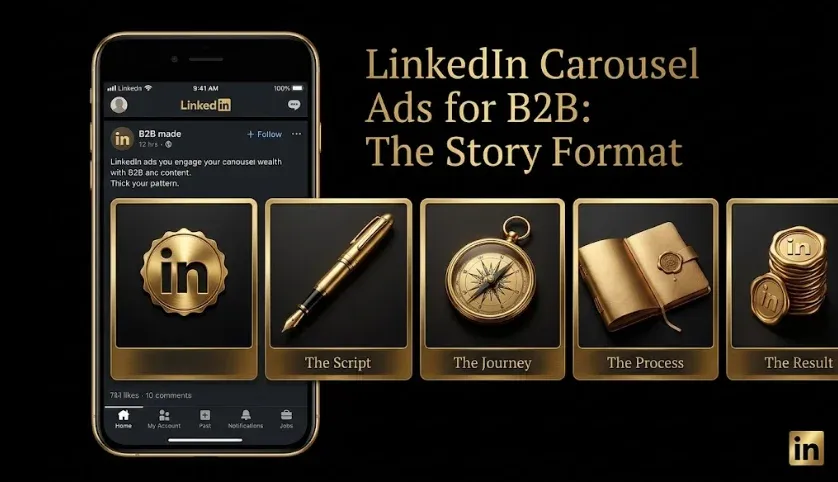
LinkedIn Carousel Ads for B2B: The Swipeable Story Format
Quick answer: LinkedIn carousel ads are multi-card ads that users swipe through, with each card carrying its own image and (optionally) its own link. They work when you have a multi-point story to tell — a step-by-step process, several features or proof points, or a narrative that builds — because the swipe interaction earns more engagement than a single static image. They differ from Document Ads (which display a readable document in-feed) in that each carousel card can link out separately. Lead with a strong first card, put one idea per card, and build toward a clear CTA. A weak carousel underperforms a single strong image, so the format only pays off with a real story.
Key takeaways
- Multi-card, swipeable — each card has its own image and optional link.
- Best for multi-point stories — steps, features, proof points, narratives.
- The swipe earns engagement a single image can’t.
- One idea per card, strong first card, building to a clear CTA.
- Only pays off with a real story — a weak carousel loses to a strong single image.
Carousels turn a single ad slot into a swipeable sequence — useful when one image can’t carry your message, wasteful when it can. This guide covers when carousel ads work for B2B, how they differ from Document and single-image ads, the creative principles for each card, and how to measure them.
What are LinkedIn carousel ads?
Carousel ads are a Sponsored Content format made of multiple cards (typically several) that users swipe through horizontally in the feed. Each card has its own image and can have its own destination link, so a carousel can tell a sequential story or present multiple points, each clickable. The swipe is the point: instead of one static message, you get an interactive sequence that invites the viewer to move through it — which, done well, holds attention longer than a single image.
Carousel vs. Document vs. single-image
| Format | Interaction | Content | Best for |
|---|---|---|---|
| Single-image | Static | One image + text | A single clear message |
| Carousel | Swipe cards | Multiple cards, each linkable | Multi-point stories, sequences |
| Document Ads | Swipe/read | A readable document in-feed | Sampling long-form value |
The key distinctions: single-image is best when one message suffices; carousel is best when you have several distinct points or a sequence, each potentially linking somewhere; and Document Ads are best when you have genuine long-form content to let people read and sample in-feed. Carousel and Document look similar (both swipe) but do different jobs — carousel is short, punchy, multi-link cards; Document is a readable, gateable document.
When do carousel ads work for B2B?
Carousels fit when you have a story that needs multiple beats:
- Step-by-step processes — walking through how something works, one step per card.
- Multiple features or use cases — each card a distinct point, letting viewers find what’s relevant.
- Proof sequences — a series of customer results or stats building credibility card by card.
- Narratives that build — a problem-to-solution arc across cards.
- Listicle-style value — “5 ways to…” where each card is one way.
Where they don’t fit: when you have a single, simple message. Forcing one idea across multiple cards is worse than delivering it cleanly in a single image; the format only earns its complexity when there’s genuinely a multi-point story.
What creative principles make carousels work?
- Nail the first card. It’s the hook — if it doesn’t earn a swipe, the rest is never seen. Make it the strongest.
- One idea per card. Each card should make a single clear point; cramming defeats the format.
- Create a reason to swipe. Build curiosity or momentum so viewers want the next card — sequence and narrative flow matter.
- Keep design consistent. A cohesive visual style across cards signals quality and keeps the sequence readable.
- Build to a clear CTA. The sequence should lead somewhere — usually a final card with the ask.
- Lead with the buyer, not the product. The same creative principle as every B2B ad — start with their world.
The best carousels feel like a story you want to finish, not a brochure split into slides.
How do you set up a carousel ad?
Confirm current steps in Campaign Manager, but broadly:
- Choose your objective — engagement, awareness, or traffic/lead gen depending on the goal and funnel stage.
- Plan the card sequence — map the story before designing, so each card has a clear job and the flow builds.
- Design consistent cards — one idea each, cohesive style, strong first card.
- Set links — a single destination for all cards, or per-card links if they lead to different pages.
- Add a clear final CTA and launch, then monitor swipe depth and engagement, rotating before fatigue.
How do you measure carousel ads?
On engagement depth and downstream quality. Watch how far people swipe (do they move through the cards, or drop after the first?), overall engagement, and which cards drive clicks. But as with all LinkedIn formats, judge success on downstream lead quality and pipeline, not surface engagement — a carousel that gets swipes but no qualified pipeline isn’t working. Feed results through lead scoring and measure to pipeline via LinkedIn Ads reporting, using the cost context in LinkedIn Ads Benchmarks.
Field note: The carousel trap is reaching for the format because it looks more impressive, then discovering you didn’t actually have a multi-card story — so you stretch a single message across five cards that each say a fraction of it. That always underperforms just saying the thing well in one strong image. The format’s swipe-engagement advantage is real, but it’s conditional: it only shows up when each card earns its place, when there’s a genuine reason to move to the next one. Before building a carousel, ask whether you have five distinct things worth a card each; if the honest answer is “not really,” use a single image and put your energy into making it excellent. More cards is not more persuasive.
Honest limitations
- A weak carousel loses to a strong single image. The format only pays off with a genuine multi-point story; forcing it wastes effort.
- More cards is more work. Designing a cohesive, sequential set of cards takes more production than one image — justified only when the story warrants it.
- First-card dependency. If the first card doesn’t earn a swipe, the rest is invisible, so a weak opener sinks the whole ad.
- Fatigue still applies. Carousels wear out in small B2B audiences like any creative; rotate proactively.
- Engagement isn’t pipeline. Swipe depth feels like success but only matters if it drives qualified pipeline; measure downstream.
Frequently Asked Questions
Q1. What are LinkedIn carousel ads?
Carousel ads are a Sponsored Content format made of multiple swipeable cards, each with its own image and optional link. Users swipe through them horizontally in the feed, so a carousel can tell a sequential story or present multiple clickable points rather than a single static message.
Q2. When should you use carousel ads on LinkedIn?
When you have a multi-point story: a step-by-step process, several features or use cases, a sequence of proof points, a problem-to-solution narrative, or listicle-style value with one point per card. Avoid them for a single simple message, where a strong single image works better.
Q3. What’s the difference between carousel ads and Document Ads?
Both swipe, but carousel ads are multiple short cards, each with its own image and optional separate link — best for punchy multi-point sequences. Document Ads display a readable document in-feed that users sample and can gate for lead capture — best for genuine long-form content. They look similar but do different jobs.
Q4. How do you make a good carousel ad?
Nail the first card (it’s the hook that earns the swipe), put one idea per card, create a reason to keep swiping through narrative or momentum, keep the design consistent across cards, build to a clear final CTA, and lead with the buyer’s problem rather than your product.
Q5. How many cards should a LinkedIn carousel have?
Enough to tell your story and no more — each card should earn its place with a distinct point. If you can’t fill the cards with genuinely distinct ideas, you don’t have a carousel story and should use a single image instead. Padding a message across cards weakens it.
Q6. Do carousel ads perform better than single-image ads?
Only when you have a real multi-point story — then the swipe interaction earns more engagement than a static image. When you have a single simple message, a strong single image outperforms a stretched carousel. The format’s advantage is conditional on having something worth swiping through.
Q7. How do you measure carousel ads?
Watch swipe depth (how far people move through the cards), overall engagement, and which cards drive clicks — but judge success on downstream lead quality and pipeline, not surface engagement. A carousel that gets swipes but no qualified pipeline isn’t working; measure to the CRM.
Sources & further reading
- LinkedIn Campaign Manager documentation — carousel ad specifications, card limits, and link options (confirm current specs).
- Measure carousels on swipe depth and downstream pipeline using your own CRM data, not surface engagement alone.
This guide is educational; platform specs and format performance change, so validate carousel specifications and measure against your own pipeline data.
Related guides: LinkedIn Document Ads · LinkedIn Ad Creative That Converts · LinkedIn Video Ads · LinkedIn Ads Funnel Structure · LinkedIn Ad Frequency & Creative Fatigue.