Google AI Max for Search for B2B SaaS (2026): Use It Without Losing Control
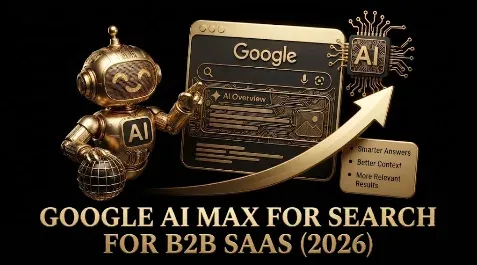
Quick answer: AI Max is a setting you turn on inside an existing Google Ads Search campaign (not a new campaign type) that hands Google’s AI three jobs at once: it treats all your keywords as broad and matches queries keywordlessly on intent, it auto-generates headlines and descriptions, and through URL expansion it can send clicks to whichever page it thinks fits best. It is Google’s 2026 flagship and the successor to Dynamic Search Ads, and for B2B SaaS it is powerful and dangerous in exactly the same way broad match is: brilliant on a clean pipeline signal, a budget-shredder on a form-fill signal. The rule for B2B is to use AI Max with the guardrails on, not the defaults. Turn off URL expansion (or restrict it to an approved page list), lock creative on your high-intent and brand campaigns, layer your first-party audiences as signals, run an aggressive negative list, and above all feed it qualified-pipeline conversions. Several of its most expansive settings are on by default, so the first thing to do after enabling AI Max is to go turn the risky ones off.
Key takeaways
- AI Max is a toggle inside Search campaigns, not a campaign type; it adds keywordless matching, auto creative, and URL expansion.
- It is the successor to Dynamic Search Ads and behaves like broad match, so it needs the same guardrails.
- Risky settings are on by default: URL expansion, auto-generated assets, and broad matching; review them immediately.
- For B2B, restrict URL expansion, lock creative on high-intent campaigns, and layer first-party audience signals.
- It amplifies your conversion signal, so feed it qualified pipeline or it finds cheap non-buyers faster.
AI Max is the most important thing to happen to Google Search ads in years, and the most misunderstood. Google is positioning it as the default future of Search, it is quietly replacing Dynamic Search Ads, and its settings are switched on in a way that suits Google’s goals (more reach, more spend) more than a B2B SaaS advertiser’s (qualified pipeline). Used carelessly it will expand your campaigns into job searches, docs queries, and off-ICP traffic faster than anything before it. Used deliberately, with the guardrails configured, it can find real buyers your keyword list never would. This is the complete 2026 guide: what AI Max actually does, which settings to change on day one, how it relates to DSA and broad match, and the B2B playbook for getting the upside without the waste. (It ties together the negative keyword, match types, audience, and conversion tracking guides, which are what make AI Max safe.)
What AI Max actually is
AI Max for Search is not a new campaign type; it is a feature you enable inside an existing Search campaign (and that Google increasingly enables for you). When it is on, it changes how the campaign works in three big ways at once:
- Keywordless, intent-based matching. AI Max effectively treats all your keywords as broad match and expands well beyond them, using Google’s intent signals to match queries you never added, much like Dynamic Search Ads did by reading your site.
- Automatic creative generation. It generates new headline and description combinations (and can rewrite your existing copy), shown as AI-generated assets in reporting.
- URL expansion. It can override your manually set final URLs and send a click to whichever page on your site it judges the best match for the query.
In short, AI Max hands Google’s AI control of what you match, what your ad says, and where the click lands. That is a lot of control to give up at once, which is why the configuration matters more than the toggle.
The defaults you must change on day one
The single most important fact about AI Max for B2B is that its most expansive behaviors are on by default, and the defaults favor reach over control. The moment you (or Google) enable AI Max, go and review these:
- URL expansion (on by default). Turn it off, or restrict it to an approved list of pages, so Google cannot send paid clicks to your blog, docs, careers, or free-tier pages. This is the highest-priority change for B2B.
- Auto-generated assets (on by default). On brand and high-intent campaigns, turn these off or lock your creative, so the AI does not rewrite carefully worded B2B messaging or put words in your brand’s mouth.
- Broad matching behavior (inherent). You cannot turn this off within AI Max, so it must be counterbalanced by an aggressive negative-keyword list and a clean conversion signal.
- Auto-apply recommendations. Keep this off, as always for B2B, so Google does not quietly widen things further.
Think of enabling AI Max as opening every door in the house at once; your job immediately afterward is to close the ones that lead somewhere you do not want your budget to go.
The controls that make AI Max usable
Google has released more guardrails as AI Max matured, and using them is the difference between controlled reach and chaos:
- Search theme exclusions. Block whole topics (for example, jobs, support, training) so AI Max cannot expand into them.
- Landing page exclusion lists. Specify URLs AI Max may not send traffic to, which is how you make URL expansion safe if you leave it on.
- Asset-level opt-outs. Prevent auto-generated creative for specific ad groups where your messaging must stay exact.
- Audience signal layering. Feed your first-party lists (Customer Match ICP and closed-won lists) as directional signals so the expansion leans toward people who resemble your buyers.
- Brand controls. Define how your brand name can and cannot be used in generated assets.
The pattern is the same as everywhere else in modern Google Ads: the automation is only as good as the constraints you put around it, and AI Max gives you real constraints if you bother to set them.
AI Max vs DSA and broad match
Two comparisons place AI Max correctly. Against Dynamic Search Ads: AI Max is the successor, and the migration now has a firm timeline. Voluntary upgrades are available now; from September 2026 eligible legacy Search campaigns begin upgrading automatically and new DSA creation ends; and the full DSA sunset has been extended to February 2027. When a campaign auto-upgrades, Google mirrors your legacy setup (dynamic ad groups become standard ad groups, your historical settings and URL controls port over, and you get a notification first). The advice is to upgrade voluntarily rather than wait, so you keep full control of the setup instead of inheriting Google’s defaults. The controls you used in DSA (page feeds, exclusions, negatives) map to AI Max’s URL and brand controls. Against broad match: AI Max includes broad-match behavior but goes further, also generating creative and expanding URLs, so it is broad match plus creative plus landing-page automation in one switch. The practical consequence for B2B is that everything you know about running broad match safely applies, only more so: it needs Smart Bidding optimizing toward qualified pipeline, an aggressive negative list, and close monitoring, because it has more ways to drift off-ICP than broad match alone.
What the performance data actually shows (be honest about CPA)
Google’s own figures for AI Max are encouraging: it reports about 14% more conversions or conversion value for campaigns that adopt it (a figure that explicitly excludes retail), up to 27% for campaigns that were mostly exact and phrase match, and around 7% more conversions or conversion value at a similar CPA or ROAS when using the full feature suite. Independent data is more sobering and more useful for B2B. A study of 250+ campaigns found a median revenue uplift of about 13% but a median CPA increase of about 16%, with ROAS swinging anywhere from +42% to -35%, which the analysts summed up as “essentially a coin toss: you may see a lift, but efficiency likely won’t follow.” The lesson for B2B SaaS is not “avoid AI Max,” it is “judge it on efficiency, not just volume.” More revenue at a higher CPA can be fine or a disaster depending on your unit economics, so watch cost per qualified lead and CPA, not the raw conversion count, and be ready to pull the guardrails tighter (or turn it off on a campaign) if efficiency slips. And the single biggest risk the data flags is specific to lead gen: without CRM-linked offline conversion tracking, AI Max optimizes purely toward form-submission volume and will often degrade lead quality while making cost per lead look better on the surface, which is exactly the trap a B2B account must avoid.
The B2B SaaS playbook for AI Max
Pulling it together into how a B2B SaaS account should actually use AI Max:
| Setting / lever | Default | B2B SaaS move |
|---|---|---|
| URL expansion | On | Off, or restrict to an approved page list |
| Auto-generated assets | On | Off on brand and high-intent; review elsewhere |
| Search theme exclusions | None | Exclude jobs, support, training, docs, free-tier |
| Audience signals | Not layered | Layer Customer Match ICP and closed-won lists |
| Negatives | Minimal | Full aggressive negative list underneath |
| Conversion goal | Often form-fill | Qualified pipeline via offline import |
| Monitoring | Set and forget | Daily search-terms review at first, then weekly |
Start AI Max on a campaign that already has a clean pipeline-based conversion signal, turn off URL expansion, lock creative on your highest-value terms, layer your audience signals, and watch the search-terms report closely for the first couple of weeks to catch and exclude the inevitable off-ICP expansion. Done this way, AI Max becomes a controlled way to capture demand your keywords miss. Done on defaults with a form-fill goal, it is the fastest budget-waster Google has ever shipped.
Field note: AI Max is the clearest test yet of whether a B2B SaaS advertiser understands the one rule that now governs all of Google Ads: the automation is neutral, and it will build you pipeline or build you a landfill of junk leads with equal enthusiasm, depending entirely on what you point it at and how much you fence it in. Google has made AI Max sound like a simple upgrade you just switch on, and for an ecommerce store with a clean purchase signal that is nearly true. For B2B SaaS it is the opposite of simple, because AI Max does three aggressive things at once, matches far beyond your keywords, rewrites your ads, and reroutes your clicks, and every one of those defaults to the most expansive setting, which is to say the setting that spends the most. The teams that win with it are almost boringly disciplined: before they trust it with real budget they make sure the campaign is optimizing to qualified pipeline and not form-fills, they turn URL expansion off so Google cannot send a fifty-dollar click to their careers page, they lock the creative on the terms that matter so the AI does not put clumsy words in their brand’s mouth, they feed it their actual customer lists as a compass, and then they watch the search-terms report like hawks for the first fortnight and exclude the junk as it appears. It is the same guardrails they already use for broad match, applied to a more powerful engine. Switch it on and walk away and it will find you the cheapest clicks on the internet; switch it on with the fences up and it will quietly find buyers you would never have thought to bid on.
Honest limitations
- It amplifies your signal. AI Max pursues whatever conversion you feed it, so on a form-fill goal it scales junk; a clean qualified-pipeline signal is the prerequisite, not optional.
- Defaults favor reach. URL expansion and auto-assets are on by default and suit Google’s goals; you must actively change them for B2B.
- You give up control of three things at once. Matching, creative, and landing pages all move to the AI, so monitoring has to be closer, not looser.
- It is still maturing. Settings and controls are being added over time, so verify what is currently available in your account rather than assuming.
- Educational, not investment or financial advice. Validate against your own account.
Frequently Asked Questions
Q1. What is Google AI Max for Search?
AI Max is a feature you enable inside an existing Google Ads Search campaign (not a separate campaign type) that gives Google’s AI three jobs at once: keywordless, intent-based matching that treats all your keywords as broad and expands beyond them; automatic generation of headlines and descriptions; and URL expansion, which can send a click to whichever page on your site the AI thinks best matches the query. It is Google’s 2026 flagship Search feature and the successor to Dynamic Search Ads. The effect is that you hand the AI control of what you match, what your ad says, and where the click lands, which is powerful for coverage but requires careful configuration, especially for B2B SaaS where off-ICP traffic is expensive.
Q2. Is AI Max good or bad for B2B SaaS?
Neither inherently; like broad match, it amplifies whatever you point it at. On a clean, pipeline-based conversion signal with guardrails configured, AI Max can find real buyers your keyword list would never reach. On a form-fill conversion signal with default settings, it expands aggressively into cheap, off-ICP traffic (job seekers, researchers, support queries) and wastes budget faster than almost anything else. So it is good for B2B SaaS when you have a qualified-pipeline signal, strong negatives, and the risky defaults turned off, and actively harmful when you switch it on and walk away. The deciding factor is not AI Max itself but whether your account is set up to steer it.
Q3. What AI Max settings should B2B SaaS turn off?
Start with URL expansion, which is on by default: turn it off or restrict it to an approved list of pages so Google cannot send paid clicks to your blog, docs, careers, or free-tier pages. Turn off auto-generated assets (or lock your creative) on brand and high-intent campaigns so the AI does not rewrite carefully worded B2B messaging. Keep auto-apply recommendations off. You cannot disable the broad matching behavior inside AI Max, so counterbalance it with an aggressive negative-keyword list and search-theme exclusions for topics like jobs, support, and training. The principle is that AI Max defaults to the most expansive (highest-spend) settings, so your first task after enabling it is to close the doors you do not want open.
Q4. Is AI Max replacing Dynamic Search Ads, and when?
Yes, with a firm timeline. Google is upgrading Dynamic Search Ads to AI Max: voluntary upgrades are available now, automatic upgrades of eligible legacy Search campaigns begin in September 2026 (and new DSA creation ends then), and the full DSA sunset has been extended to February 2027. When a campaign auto-upgrades, Google mirrors your legacy setup (dynamic ad groups become standard, historical settings and URL controls port over, and you are notified first). The advice is to upgrade voluntarily rather than wait, so you keep control of the configuration instead of inheriting defaults. The controls carry over: DSA’s page feeds and dynamic ad target exclusions become AI Max’s URL expansion controls, landing-page exclusion lists, and search-theme exclusions, and the discipline is identical, restrict to high-intent pages, run strong negatives, and keep a clean conversion signal.
Q5. How is AI Max different from broad match?
Broad match expands which queries your keyword can match; AI Max does that and more. In addition to broad, intent-based matching, AI Max automatically generates ad creative and can expand or override your final URLs to pick the landing page. So AI Max is broad match plus creative automation plus landing-page automation, bundled into one setting. For B2B SaaS this means everything you know about running broad match safely still applies (pair it with Smart Bidding optimizing to qualified pipeline, run aggressive negatives, monitor closely), but AI Max has more ways to drift off-ICP because it also controls your copy and destination. Treat it as a more powerful, more autonomous version of broad match that needs correspondingly tighter guardrails.
Q6. What is URL expansion in AI Max and should I turn it off?
URL expansion lets AI Max override the final URL you set and send a click to whichever page on your site it judges the best match for the query. For B2B SaaS, the default-on behavior is risky, because the AI can route expensive paid clicks to pages you never intended as ad destinations: your blog, help docs, careers page, status page, or free-tier signup. The safe approach is to turn URL expansion off, or, if you want its benefit, leave it on but configure a landing-page exclusion list so the AI can only use approved, high-intent pages. Either way, do not leave it fully open on a B2B account, because a misrouted click on a fifty-dollar keyword is pure waste.
Q7. How should B2B SaaS roll out AI Max safely?
Enable it first on a campaign that already optimizes toward qualified pipeline (not form-fills), because AI Max amplifies whatever signal it is given. Immediately turn off URL expansion (or restrict it to approved pages), turn off auto-generated assets on brand and high-intent campaigns, and add search-theme exclusions for jobs, support, training, and similar. Layer your first-party audience lists (Customer Match ICP and closed-won) as directional signals, and make sure a full negative-keyword list sits underneath. Then watch the search-terms report daily for the first couple of weeks, excluding off-ICP queries as they appear, before easing to a weekly cadence. This mirrors how you would safely roll out broad match, applied to a more powerful engine.
If you want a team to turn AI Max on with the guardrails configured, URL expansion locked down, creative protected, audiences layered, and pointed at pipeline, book a demo with Growthspree.
Sources & further reading
- Google Ads Help and the Google Ads blog (what AI Max is and how it works; keywordless matching; auto-generated assets; URL expansion; search-theme and landing-page exclusions; audience signal layering; brand controls; DSA upgrading to AI Max with automatic upgrades from September 2026 and DSA sunset extended to February 2027; Google’s ~14%/27%/7% performance figures).
- Independent analysis (a 250+ campaign study: median ~+13% revenue but ~+16% higher CPA, ROAS ranging +42% to -35%; the lead-gen risk of optimizing to form volume without CRM-linked offline conversions).
- GrowthSpree (B2B SaaS AI Max playbook: turn off URL expansion, lock creative on high-intent, layer first-party audiences, aggressive negatives, optimize to qualified pipeline, monitor search terms closely).
- Companion: Dynamic Search Ads for B2B SaaS (the predecessor and its controls); Negative Keyword Strategy for B2B SaaS Google Ads; Google Ads Keyword Match Types for B2B SaaS; Google Ads Conversion Tracking for B2B SaaS; Google Ads Automation for B2B SaaS.
This guide is educational, not investment or financial advice; AI Max features and default settings change as the product matures, so verify current behavior against Google’s documentation and validate against your own account.
Related guides: AI Max for Search vs Performance Max for B2B SaaS · Dynamic Search Ads for B2B SaaS · Negative Keyword Strategy for B2B SaaS Google Ads · Google Ads Conversion Tracking for B2B SaaS: The Complete Setup Guide · Google Ads Automation for B2B SaaS.