Pipeline,
not promises.
Senior operators audit your funnel in 48 hours. Ship 3 specific moves in 30 days.
- Full-funnel audit · 4 velocity levers
- 3 wins to ship in 30 days
- $3K flat · month-to-month
30-min call · No commitment
- Full-funnel audit · 4 velocity levers
- 3 wins to ship in 30 days
- $3K flat · month-to-month
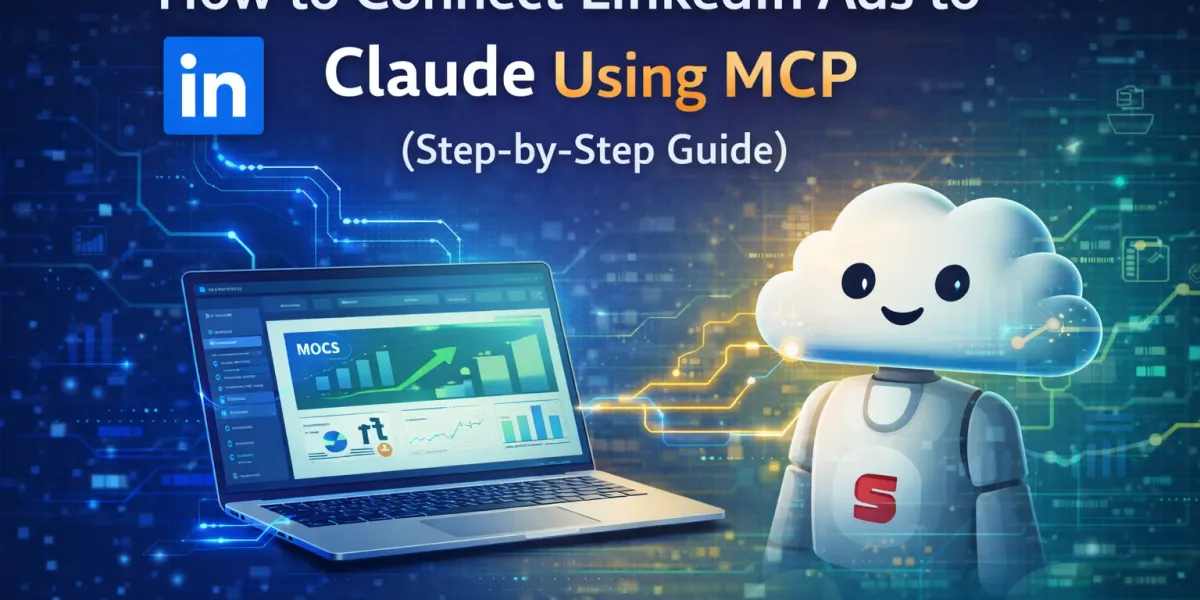
How to Connect LinkedIn Ads to Claude with MCP (2026 Step-by-Step)
Quick answer: To connect LinkedIn Ads to Claude, install a LinkedIn Ads MCP server. With GrowthSpree’s free MCP the flow is no-code and takes about five minutes: sign up, authorize LinkedIn Ads (read-only OAuth), copy your token, install the .MCPB extension in Claude Desktop, paste the token, and start asking questions in plain English. Claude then reads your live Campaign Manager data — spend, CPL, conversions, and demographic breakdowns — and returns structured analysis and recommendations. It’s read-only, so Claude can analyze but never change your campaigns.
TL;DR: GrowthSpree’s LinkedIn Ads MCP connects your LinkedIn Campaign Manager data to Claude, turning your ad account into a conversational analytics engine. Setup takes about five minutes and no coding. It’s free on any paid Claude plan, read-only, and — through the same account — also connects Google Ads, Meta, GA4, Search Console, and HubSpot for cross-channel attribution. This guide covers the full setup, the highest-value analysis workflows with example prompts, how to connect LinkedIn to pipeline, and how it compares to other LinkedIn Ads MCPs.
LinkedIn Ads MCP: key numbers
| Item | Detail |
|---|---|
| Setup time | ~5 minutes (no-code .MCPB flow) |
| Cost | Free on any paid Claude plan; no percentage-of-spend, no query limits |
| Access level | Read-only (analyze, never modify campaigns) |
| Data covered | Spend, impressions, clicks, CTR, conversions, CPL, demographics, creative, lead-gen forms |
| Typical B2B LinkedIn CPC | $8–$15 (top quartile $5–$8) |
| LinkedIn share of B2B social leads* | ~75–85% |
| Reported impact | 25–40% CPL reduction, 10+ hours/week saved |
| Other platforms via same account | Google Ads, Meta, GA4, Search Console, HubSpot |
Widely cited industry figure; directional ranges reported by teams using AI-powered LinkedIn analysis workflows. Results vary by account.
LinkedIn Ads is the only platform where you can target a VP of Engineering at a 500-person SaaS company in a specific country who started their role in the last year. That precision is why it drives the majority of B2B social leads — and why getting it wrong is so expensive at $8–$15 CPCs. The problem is that LinkedIn Campaign Manager makes real analysis slow. This guide shows how to put Claude on top of that data so you can ask questions instead of building pivot tables.
What is a LinkedIn Ads MCP?
A LinkedIn Ads MCP is a server that connects your LinkedIn Ads data to an AI assistant using MCP (Model Context Protocol) — the open standard created by Anthropic that lets AI models connect to external tools with live, authenticated access. GrowthSpree’s server bridges Claude to the LinkedIn Marketing API, so when you ask about campaign performance, Claude queries your live Campaign Manager data and answers in plain English. The connection is read-only — Claude can see and analyze your data but cannot modify campaigns.
Key takeaway: MCP turns LinkedIn Campaign Manager from a place you navigate into a dataset you can interrogate: ask a question, get a live answer, no exports.
Why LinkedIn Ads need deeper analysis than Campaign Manager gives
LinkedIn Campaign Manager is powerful but slow, and it hides the things that matter most for B2B decisions:
- Multi-dimensional analysis is manual. Comparing campaigns by CPL, or slicing performance by job function × seniority × company size, means drilling into each campaign and exporting to a pivot table.
- No native link to pipeline. There’s no built-in way to connect an impression to revenue at the company level — the metric that actually decides budget.
- Last-click attribution. LinkedIn defaults to last-click, which misses the reality of long B2B buying cycles — some industry research puts them near 192 days with 60+ touchpoints — so LinkedIn’s influence is systematically undercounted. For an account running 5–10 campaigns, this analysis takes hours every week, so most teams skip it — and optimization opportunities pass before they’re found.
What Claude can analyze once connected
| Dimension | Examples |
|---|---|
| Performance metrics | Spend, impressions, clicks, CTR, conversions, CPL, period-over-period trends |
| Demographics | Job function/title, seniority, company size, industry, geography |
| Creative | Performance by ad variant; early creative-fatigue signals |
| Lead-gen forms | Submission volume and cost per form completion |
| Audience | Audience size, penetration, and frequency |
| Budget | Utilization and pacing across campaigns |
How to connect LinkedIn Ads to Claude (8 steps)
The whole flow is no-code and takes about five minutes.
- Create your GrowthSpree MCP account on the LinkedIn Ads MCP page; you’ll get login credentials by email.
- Open your dashboard (Zipeline) using the login link.
- Authorize LinkedIn Ads with OAuth — read-only access.
- Copy your secure token from the dashboard.
- Install Claude Desktop and open it.
- Add the extension: Settings → Extensions → Install Extension, then drag in the .MCPB file.
- Paste your token into the User Token field and click Save.
- Toggle ON and query. Open a new chat and ask, e.g., “Analyze my LinkedIn Ads performance for the last 30 days.” Prefer a step-by-step walkthrough? See our LinkedIn Ads MCP setup guide.
The highest-value analysis workflows (with prompts)
The point isn’t one-off questions — it’s workflows you run weekly. The most valuable ones:
1. Cross-campaign CPL comparison
Prompt: “Rank all active campaigns by cost per lead, and include audience size and penetration for each.” Instantly separates efficient campaigns from money pits.
2. Demographic ROI by job title and seniority
Prompt: “Which job functions and seniorities produce the lowest cost per lead — and which look cheap but don’t convert?” This validates (or breaks) your ICP targeting.
3. Creative fatigue detection
Prompt: “Flag any ad whose CTR has dropped 20%+ from its peak over the last three weeks.” Catches fatigue before CPL spikes.
4. Budget pacing and waste
Prompt: “Flag any campaign spending more than $20 per click with a conversion rate below 1%, and suggest reallocations.”
5. Cross-channel LinkedIn vs Google
Prompt: “Compare LinkedIn and Google Ads cost per conversion this month. Which channel produces higher-seniority leads?” Requires both MCPs connected — impossible inside Campaign Manager alone.
6. The monthly report, written for you
Prompt: “Write this month’s LinkedIn Ads report with three prioritized next steps, in client-ready prose.”
Key takeaway: A live MCP connection reduces LinkedIn Ads analysis time by roughly 80–90% — for an agency running 20+ accounts, that’s 15–20 hours a week back.
From clicks to pipeline: connect the CRM
LinkedIn Ads MCP gives you campaign-level data, but for B2B the data that decides budget lives in your CRM. Connecting the two — via offline conversion tracking from HubSpot — feeds deal-stage data back so you can see which campaigns produced SQLs and pipeline, not just leads. It matters because LinkedIn-sourced deals often run 28.6–35% larger than Google-sourced ones, and last-click reporting hides that. For the full method, see how to measure pipeline from digital ads, and for cost/quality targets, our 2026 LinkedIn Ads benchmarks.
Is it safe? Read-only access and an honest disclosure
Two things worth stating plainly:
- Read-only by design. The connection uses OAuth in read-only mode — Claude analyzes your data and recommends changes, but you apply them in Campaign Manager.
- Not an official LinkedIn product. GrowthSpree’s MCP (like CData’s, Windsor’s, Radiate B2B’s, and community servers) is independent, connects via LinkedIn’s public Marketing API, and is not affiliated with or endorsed by LinkedIn or Microsoft. Review the source and terms before connecting a production account.
GrowthSpree vs other LinkedIn Ads MCPs
GrowthSpree isn’t the only option. A fair map of the main ones:
| Server | Built for | Read/write | Setup |
|---|---|---|---|
| GrowthSpree | Marketers; cross-channel | Read-only | No-code, ~5 min, free |
| CData | Data engineers (SQL/JDBC) | Read-only (OSS); read-write via Connect AI | JDBC driver + config |
| Windsor.ai | Marketers; 220+ metrics | Read + write actions | No-code, ~1 min |
| Radiate B2B | Marketers; managed | Read-only | No-code, hosted |
| Community (self-hosted) | Developers | Varies | LinkedIn dev app + terminal |
For the full side-by-side against the enterprise option, see GrowthSpree vs CData LinkedIn Ads MCP, and for the whole ecosystem, our best AI marketing MCP servers guide.
Common mistakes and tips
- Judging LinkedIn at 30 days. Cohort ROAS often reads 0.3–0.5x at 30 days and 4–8x by 180 — measure on the right window.
- Optimizing to CPL. The cheapest lead is often the worst-fit; ask Claude for cost per SQL, not just CPL.
- Skipping exclusions. Excluding non-ICP job functions and seniorities can remove 20–35% of wasted spend — ask Claude which segments to cut.
- Forgetting frequency. Ask Claude to check frequency and audience penetration so budget spreads across target accounts, not the same 20%.
Frequently Asked Questions
Q1. How do I connect LinkedIn Ads to Claude?
Install a LinkedIn Ads MCP server. With GrowthSpree’s free MCP: sign up, authorize LinkedIn Ads via read-only OAuth, copy your token, install the .MCPB extension in Claude Desktop, paste the token, and start asking questions — about five minutes, no coding.
Q2. Is the LinkedIn Ads MCP free?
Yes. GrowthSpree’s LinkedIn Ads MCP is free on any paid Claude plan, with no percentage-of-spend pricing and no query limits.
Q3. Is the connection read-only?
Yes. GrowthSpree’s LinkedIn Ads MCP is read-only — Claude analyzes your data and recommends changes, but you apply them in Campaign Manager.
Q4. What data can Claude analyze?
Campaign metrics (spend, impressions, clicks, CTR, conversions, CPL), demographic breakdowns (job function, seniority, company size, industry, geography), creative performance, lead-gen forms, audience penetration, budget pacing, and period-over-period trends.
Q5. Does it work with ChatGPT or Gemini?
MCP is an open standard, so it works with any MCP-compatible client. Claude has the most mature MCP support as of 2026; ChatGPT and Gemini are adding compatibility.
Q6. Can it analyze other platforms too?
Yes. Through the same account it also connects Google Ads, Meta, GA4, Search Console, and HubSpot — so Claude can compare channels and trace LinkedIn to pipeline in one conversation.
Q7. Is this an official LinkedIn tool?
No. It’s an independent server that connects via LinkedIn’s public Marketing API and isn’t affiliated with or endorsed by LinkedIn or Microsoft. Review the terms before connecting a production account.
Q8. How is it different from LinkedIn’s built-in reporting?
Campaign Manager has the same underlying data but requires manual navigation and CSV exports for cross-campaign analysis. The MCP makes it queryable in natural language in seconds, and adds cross-platform comparison Campaign Manager can’t do.
Q9. How much time does it save?
Teams report roughly 80–90% less analysis time — often 10+ hours a week for those managing several accounts — plus reported CPL reductions of 25–40% from acting on the insights.
Q10. Which is better, GrowthSpree or CData?
GrowthSpree suits marketers who want free, no-code LinkedIn analysis with cross-channel attribution; CData suits data teams needing governed SQL/JDBC connectivity (and read-write via Connect AI). See our full comparison.
Q11. Do I need a LinkedIn developer app?
Not with GrowthSpree’s no-code flow — you authorize via OAuth. Some self-hosted community servers do require creating a LinkedIn developer app.
Get started
Stop exporting LinkedIn data and start having a conversation with it. Connect LinkedIn Ads to Claude for free, or read the deeper analysis workflows guide.
About the author: Ishan Manchanda is Co-Founder at GrowthSpree, a B2B SaaS marketing agency (Google Partner, HubSpot Solutions Partner, 4.9/5 on G2). GrowthSpree has run LinkedIn Ads through MCP across 300+ B2B SaaS accounts with $60M+ in managed ad spend, and built the MCP + QLA infrastructure referenced here.