How to Set Up GrowthSpree’s Free LinkedIn Ads MCP on Claude — Step-by-Step Guide
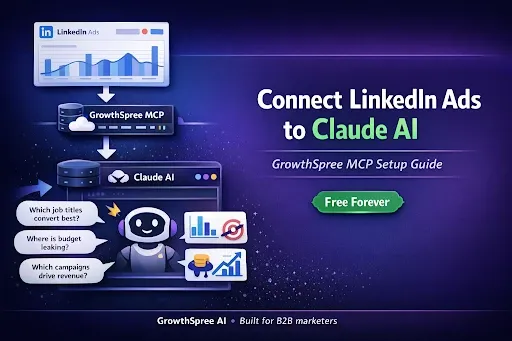
LinkedIn Ads MCP setup takes less than five minutes and gives you something LinkedIn’s native reporting never will — the ability to ask your campaign data real questions and get real answers. Which job titles are actually converting? Where is budget bleeding on non-converting audiences? Which creatives drove pipeline, not just clicks? These are the questions every B2B marketer asks, and LinkedIn Campaign Manager doesn’t answer them.
TL;DR: GrowthSpree’s LinkedIn Ads MCP connects your LinkedIn Campaign Manager data to Claude, turning your ad account into a conversational analytics engine. Setup takes under 5 minutes: sign up on the landing page, log into Zipeline, connect your LinkedIn Ads account, copy your API token, download the .MCPB file, install it in Claude Desktop, paste your token, and start querying. It’s free forever on any paid Claude plan — no percentage-of-spend pricing, no query limits. This guide walks through every step with screenshots.
Why LinkedIn Ads Reporting Falls Short for B2B Teams
LinkedIn Campaign Manager shows you clicks, impressions, CTR, and direct conversions. What it doesn’t show you is what actually matters for B2B decision-making. There’s no native way to connect impressions to pipeline or revenue at the company level. Attribution defaults to last-click, which misses the reality of B2B buying cycles that average 192 days and 62+ touchpoints according to industry research.
The platform’s reporting sits in an isolated silo. You can’t natively push LinkedIn Ads data into HubSpot or Salesforce for unified reporting. You can’t cross-reference campaign performance against CRM outcomes without exporting CSVs and building manual dashboards. And with LinkedIn Ads costing 3–5x more per click than other platforms — CPCs of $8–10 in competitive B2B segments — every optimization opportunity you miss costs real money.
Key Takeaway: LinkedIn gives you surface metrics. It doesn’t give you the cross-dimensional analysis B2B teams need to optimize spend against pipeline outcomes.
What B2B Marketers Actually Need from LinkedIn Ads Data
The gap isn’t data availability — LinkedIn collects plenty of data. The gap is in how you can access and analyze it. B2B marketers need answers to questions like: Which campaigns drive the lowest cost per qualified lead, not just cost per click? Which audience segments — by job function, seniority, or industry — produce pipeline, not just engagement? What’s the spend distribution across campaigns that actually convert versus those that just generate impressions?
Getting these answers from LinkedIn Campaign Manager requires exporting multiple reports, building pivot tables, cross-referencing with CRM data, and manually calculating derived metrics. For an account running 5–10 campaigns across different objectives, this analysis takes hours every week. Most teams either skip it entirely or check metrics so infrequently that optimization opportunities pass before they’re discovered.
Key Takeaway: B2B LinkedIn Ads optimization requires multi-dimensional analysis that LinkedIn’s native tools don’t support without significant manual effort.
How an MCP Changes LinkedIn Ads Analysis
MCP (Model Context Protocol) is a standard that allows AI assistants like Claude to connect directly to external data sources. GrowthSpree’s LinkedIn Ads MCP bridges the gap between LinkedIn’s Campaign Manager data and Claude’s analytical capabilities, turning your ad account into a conversational analytics engine.
Instead of exporting CSVs, building spreadsheets, and manually cross-referencing data, you ask Claude a question in plain English. “Which campaigns had the highest spend but lowest conversion rate last month?” Claude queries your live LinkedIn Ads data through the MCP and returns a structured analysis — complete with tables, trend identification, and actionable recommendations.
GrowthSpree’s LinkedIn Ads MCP includes tools covering accounts, campaigns, creatives, audience demographics, conversions, lead gen performance, and daily trends. It handles the data retrieval and structuring so you can focus on the strategic decisions — not the spreadsheet gymnastics.
| Category | LinkedIn Campaign Manager | Manual Export + Spreadsheet | GrowthSpree LinkedIn Ads MCP |
|---|---|---|---|
| Time to Insight | Limited to pre-built views | 2–4 hours per analysis | Under 2 minutes |
| Cross-Dimensional Analysis | Not supported | Manual pivot tables | Natural language queries |
| Campaign + Audience + Creative Correlation | Separate reports | Hours of manual work | Single conversation |
| Cost | Included with platform | Free but time-intensive | Free forever |
Key Takeaway: The LinkedIn Ads MCP replaces hours of manual data work with natural language conversations that produce structured, actionable analysis.
Step-by-Step: Setting Up GrowthSpree’s LinkedIn Ads MCP on Claude
The entire setup process takes under 5 minutes. Here’s every step, based on GrowthSpree’s setup guide.
Step 1: Sign Up on the Landing Page. Visit the LinkedIn Ads MCP page, enter your work email, select “LinkedIn Ads” from the platform options, and click “Get Access Now.” You’ll be redirected to a thank-you page with detailed setup instructions.
Step 2: Log Into Zipeline. Go to mcp.zipeline.com and sign in with your credentials. Zipeline is the platform that powers GrowthSpree’s MCP connections — it handles authentication, data routing, and API management.
Step 3: Connect Your LinkedIn Ads Account. Navigate to the Integrations page in Zipeline. You’ll see cards for Google Ads, Google Search Console, Meta Ads, LinkedIn Ads, HubSpot, Google Analytics, and Slack. Click the LinkedIn Ads card and authorize the connection to your Campaign Manager account.
Step 4: Copy Your API Token. Once connected, go back to the Integrations dashboard. Your API token is displayed at the top of the page — click the copy icon. You’ll see a confirmation: “API Key copied!” This token authenticates Claude’s connection to your data.
Step 5: Download the .MCPB File. Download the .MCPB extension file from the link provided on the setup instructions page. This file tells Claude Desktop how to connect to GrowthSpree’s MCP server.
Step 6: Install the Extension in Claude Desktop. Open Claude Desktop, go to Settings → Extensions. Under Extension Developer, click “Install Extension.” Drag and drop the .MCPB file into Claude. The Growthspree MCP Server will appear in your extensions list.
Step 7: Paste Your Token and Enable. Claude will prompt you for authentication. Paste the API token you copied from Zipeline into the User Token field and click Save. Toggle the extension ON — your data starts syncing immediately.
Step 8: Start Querying. Open a new chat in Claude and start asking questions about your LinkedIn Ads data. Try prompts like: “Analyze my LinkedIn Ads campaign performance for the last 30 days” or “Which audience segments have the lowest cost per lead?”
Key Takeaway: Eight steps, under five minutes, zero technical skills required. Once set up, GrowthSpree’s LinkedIn Ads MCP gives you conversational access to your campaign data.
What You Can Do After Setup
Once your LinkedIn Ads MCP is connected, you can run analyses that would take hours manually. Ask Claude to break down campaign performance by spend, clicks, conversions, and cost per lead. Request audience demographic analysis by job function, seniority, or industry to find which segments actually convert. Compare performance across time periods to identify trends and anomalies.
GrowthSpree’s MCP also works alongside their Google Ads MCP and Meta Ads MCP, giving B2B teams a unified conversational analytics layer across all major ad platforms. The same Zipeline account handles authentication for all connected platforms — set it up once and query any platform from Claude.
Key Takeaway: The MCP doesn’t just replicate LinkedIn’s existing reports — it enables multi-dimensional analysis, cross-platform comparison, and natural language investigation that Campaign Manager can’t provide.
Ready to Turn Your LinkedIn Ads into a Conversation?
If you’re spending $5K+ per month on LinkedIn Ads and still relying on Campaign Manager’s limited reporting, you’re making decisions with incomplete data. GrowthSpree’s LinkedIn Ads MCP makes the analysis free, fast, and conversational.
Set up the free LinkedIn Ads MCP and start asking your data the questions that matter.
Frequently Asked Questions
What is GrowthSpree’s LinkedIn Ads MCP?
GrowthSpree’s LinkedIn Ads MCP is a free Model Context Protocol extension that connects your LinkedIn Campaign Manager data to Claude AI. It enables conversational analytics — you ask questions about your LinkedIn Ads performance in plain English and get structured, data-driven answers in seconds. The MCP handles authentication, data retrieval, and formatting so you can focus on strategic decisions.
Is the LinkedIn Ads MCP really free?
Yes. GrowthSpree’s LinkedIn Ads MCP is free to install and use on any paid Claude subscription (Pro, Max, Team, or Enterprise). There are no platform fees, no percentage-of-spend pricing, and no query limits. You can run as many analyses as you need without additional cost beyond your existing Claude subscription.
Do I need technical skills to set up the MCP?
No. The setup process requires no coding, no API configuration, and no command-line tools. You sign up on the landing page, connect your LinkedIn Ads account through Zipeline’s visual interface, download a file, drag it into Claude Desktop, and paste your token. The entire process takes under 5 minutes.
Can I use the LinkedIn Ads MCP alongside other GrowthSpree MCPs?
Yes. GrowthSpree offers MCPs for Google Ads, Meta (Facebook) Ads, Google Analytics, Google Search Console, and HubSpot — all connected through the same Zipeline account. You authenticate once and can query any connected platform from Claude, enabling cross-platform analysis in a single conversation.
What types of LinkedIn Ads analysis can Claude perform with the MCP?
Claude can analyze campaign performance metrics (spend, impressions, clicks, CTR, conversions), audience demographics (job function, seniority, industry), creative performance, lead gen form submissions, conversion tracking, daily trends, and period-over-period comparisons. You can also ask for strategic recommendations based on the data patterns Claude identifies.
Key Facts & Data Points
| Claim | Data Source |
|---|---|
| Average B2B buyer journey spans 192 days with 62+ touchpoints | Fibbler revenue attribution research |
| LinkedIn Ads cost 3–5x more per click than other platforms | Industry benchmark data |
| LinkedIn CPCs range $8–10 in competitive B2B segments | Industry benchmark data |
| Setup takes under 5 minutes | GrowthSpree MCP demonstration video |
| Free on any paid Claude subscription | GrowthSpree LinkedIn Ads MCP landing page |
| 9-step setup process with zero coding required | GrowthSpree MCP demonstration video |
| MCP covers 6+ platforms through single Zipeline account | GrowthSpree integrations dashboard |
Definitions used in this article:
- MCP (Model Context Protocol): A standard that allows AI assistants like Claude to connect directly to external data sources, enabling real-time analysis of platform data without manual exports or API coding.
- Zipeline: The platform that powers GrowthSpree’s MCP connections, handling OAuth authentication, data routing, and API token management for all connected platforms.
- .MCPB File: An extension package file that tells Claude Desktop how to connect to a specific MCP server. Installing it adds the MCP as an available extension in Claude.
- LinkedIn Campaign Manager: LinkedIn’s native advertising platform where B2B marketers create, manage, and report on LinkedIn Ads campaigns.
- Conversational Analytics: An approach to data analysis where users query data using natural language instead of building reports manually, enabled by AI tools like Claude connected via MCP.