LinkedIn Ads MCP: Pulling Campaign Data Into Claude
Quick answer: A LinkedIn Ads MCP server connects your LinkedIn Campaign Manager account to an AI assistant like Claude, so you can pull campaign, demographic, and lead-gen data in plain English instead of exporting CSVs. Ask “which job titles drove the cheapest qualified leads last month?” and the assistant queries the LinkedIn Marketing API through the MCP server and answers. Setup takes minutes; the lasting value is in the questions you can suddenly ask.
Key takeaways
- What it is: a connector that exposes LinkedIn’s ad-reporting API to an AI assistant as callable tools.
- Why it matters: it replaces the export-and-pivot loop with plain-English questions.
- Best for: demographic efficiency, creative-fatigue checks, and cost-per-qualified-lead analysis.
- Safety: keep it read-only and least-privilege for analytics; add write access only behind human approval.
If you run LinkedIn Ads for B2B SaaS, you know the reporting tax: export CSVs, pivot by job function and seniority, reconcile against the CRM, and by the time the deck is ready the insight is a week stale. A LinkedIn Ads MCP server removes that loop by letting you connect LinkedIn Ads to Claude through the Model Context Protocol (MCP). This guide covers what a LinkedIn Ads MCP server is, how to connect it, the prompts that earn their keep, how it fits the rest of your marketing stack, and how to keep it safe.
What is a LinkedIn Ads MCP server?
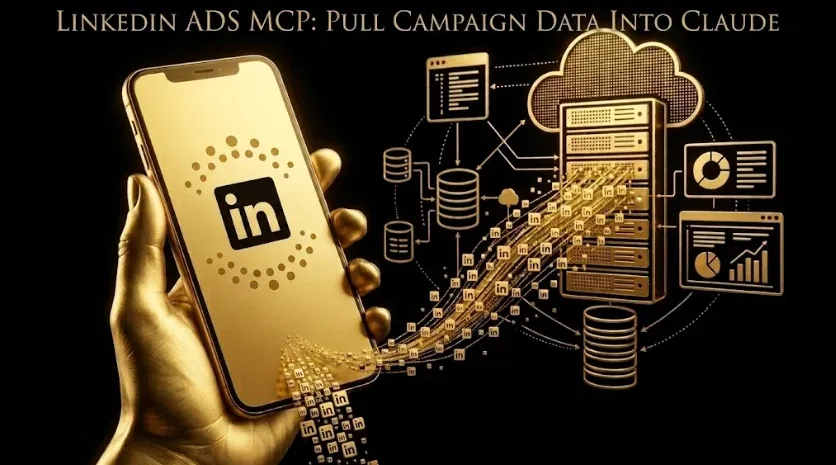
A LinkedIn Ads MCP server is a connector that exposes the LinkedIn Marketing API’s reporting endpoints as tools an AI assistant can call. MCP (Model Context Protocol) is an open standard for connecting assistants to external tools. Instead of you clicking through Campaign Manager, the assistant queries the API, gets structured rows back, and turns them into an answer — including the demographic pivots (job function, seniority, industry, company size) that make LinkedIn data uniquely valuable for B2B targeting. In one line: the API handles retrieval, and the assistant handles synthesis — so reporting becomes a conversation instead of a spreadsheet.
How do you connect LinkedIn Ads to Claude?
The flow is broadly the same across official and community servers. Always confirm the current steps in the connector’s own documentation, since API products and scopes change.
- Get API access. Create a LinkedIn Developer app with the advertising API product enabled and generate OAuth credentials with read scope for the ad account.
- Choose an MCP server. Use a community or managed LinkedIn Ads MCP server, or a multi-platform connector that includes LinkedIn. Non-technical users should pick a managed option.
- Register it in your MCP client. Point Claude Desktop or Claude Code at the server and complete the OAuth authorization.
- Verify. Ask the assistant to list your ad accounts. If they return, data is flowing.
What can you ask once LinkedIn Ads is connected to Claude?
Once the connection is live, you ask in plain English and the assistant builds the query. The prompts that save the most time each week:
- Demographic efficiency: “Rank job functions by cost per lead over the last 30 days; flag any over $200 CPL with fewer than 3 leads.”
- Creative fatigue: “For each active campaign, compare CTR this week vs. the trailing 4-week average and list creatives down more than 20%.”
- Audience overlap: “Which campaigns target overlapping seniorities, and where am I bidding against myself?”
- Lead-gen forms: “Show lead-form completion rate by campaign and cost per qualified lead after CRM filtering.”
- Budget pacing: “Given month-to-date spend and pacing, which campaigns will over- or under-spend by month end?”
LinkedIn Ads MCP vs. manual reporting: what changes?
| Task | Manual in Campaign Manager | With a LinkedIn Ads MCP + Claude |
|---|---|---|
| Weekly demographic pivot | 20–30 min of exports and pivots | One prompt, ~30 seconds |
| Creative-fatigue check | Manual week-over-week comparison | Auto-flagged with % drop |
| Cross-channel view | Separate exports, VLOOKUPs | One question spanning channels |
| Cost per qualified lead | Ad data + CRM stitched by hand | Joined through a CRM connector |
The goal isn’t to replace the analyst — it’s to let the analyst stop assembling data and start interpreting it.
How does a LinkedIn Ads MCP server fit the rest of your marketing stack?
On its own, a LinkedIn Ads MCP server answers LinkedIn questions. The payoff compounds when it sits alongside your other connectors, because B2B answers are cross-channel. Pair it with a Google Ads MCP server and a Google Analytics (GA4) MCP server, and one prompt can trace LinkedIn spend to on-site behavior to a closed deal. If you’re assembling the full setup, our complete MCP stack for B2B SaaS marketing teams and the MCP servers complete guide walk through how the pieces connect. And because LinkedIn is where most account-based programs run, this connector feeds directly into account-based marketing with Claude.
Is a LinkedIn Ads MCP server safe to use?
For analytics, yes — provided you keep it read-only and scoped. Reporting-focused MCP servers can pull data but not change bids or pause campaigns, which is exactly what you want. Apply standard integration hygiene: scope credentials to only the ad accounts the assistant needs, store tokens in a secret manager rather than committed files, and pin the server version so an upstream change can’t alter behavior unexpectedly. If you later want the assistant to make changes rather than just read, use a write-enabled server with a draft-and-approve workflow so nothing publishes without human review.
Frequently Asked Questions
Q1. Does LinkedIn have an official Ads MCP server?
As of mid-2026, LinkedIn does not publish a first-party MCP server the way Google Ads does. Marketers use a community-built LinkedIn Ads MCP server or a multi-platform connector that wraps the LinkedIn Marketing API. Confirm which API scopes any third-party server requests before authorizing it.
Q2. How do I connect LinkedIn Ads to Claude?
Create a LinkedIn Developer app with advertising API access, generate read-scope OAuth credentials, install a LinkedIn Ads MCP server (or a managed connector), register it in Claude Desktop or Claude Code, authorize, then ask the assistant to list your ad accounts to confirm the connection.
Q3. Can the assistant change my LinkedIn campaigns, or only read them?
It depends on the server. Reporting servers are read-only and can only pull data. Write-enabled servers can create or edit campaigns; the safer ones stage changes as drafts for human approval before anything publishes.
Q4. Do I need to know how to code to use a LinkedIn Ads MCP server?
No, if you use a managed connector — setup is an OAuth click-through. The terminal route exists for teams that want custom queries or to run across multiple ad accounts.
Q5. What’s the benefit over LinkedIn’s own reporting?
Speed and cross-channel context. You skip the export-and-pivot loop, and when the same assistant can also see analytics and CRM data, you can ask questions that span LinkedIn spend and downstream pipeline in a single prompt.
Sources & further reading
- LinkedIn Marketing API documentation — Microsoft/LinkedIn Developers.
- Model Context Protocol — official specification, modelcontextprotocol.io.
- Anthropic — Claude documentation on connecting tools via MCP, docs.claude.com.
Related guides: The Complete MCP Stack for B2B SaaS Marketing Teams · Google Ads MCP · GA4 MCP Server · MCP Servers: Complete Guide.