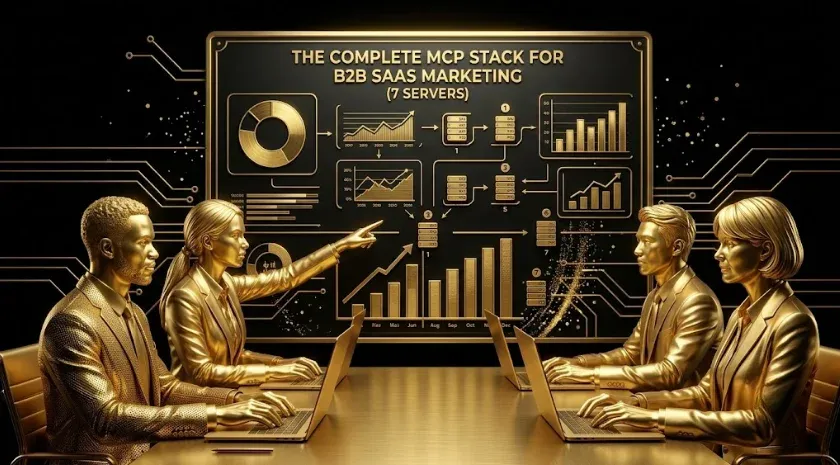
The Complete MCP Stack for a B2B SaaS Marketing Team (7 Servers Explained)
Quick answer: A complete MCP stack for a B2B SaaS marketing team connects every data source you report on — ad platforms, analytics, and CRM — to one AI assistant. The seven servers that cover most teams are Google Ads, LinkedIn Ads, Meta Ads, GA4, Google Search Console, a CRM (HubSpot or Salesforce), and a unifying AI-marketing layer. Individually each answers questions about one tool; together they let you ask a single question that spans spend, behavior, and revenue.
Key takeaways
- The stack, not the server, is the point — cross-channel questions need multiple connectors.
- Seven servers cover most teams: three ad platforms, analytics, Search Console, CRM, and a unifying layer.
- Start small: connect your biggest spend channel or the CRM first, prove the workflow, then expand.
- Build safely: read-only by default, least-privilege credentials, secrets in a manager, pinned versions.
- The unifying layer is what turns single-channel data into cross-channel, account-level answers.
Most “AI for marketing” advice stops at a single integration — connect Google Ads to an assistant and call it done. The compounding value appears when the whole MCP stack is connected, because the questions that move pipeline rarely live inside one tool. “Which LinkedIn campaign produced the trials that activated and became SQLs?” touches an ad platform, analytics, and the CRM at once. This guide explains what an MCP stack is, the seven marketing MCP servers that cover most B2B SaaS teams, what each one is for, and how to build the stack safely.
What is an MCP stack?
An MCP stack is a set of Model Context Protocol servers connected to one AI assistant, each exposing a different data source — an ad platform, analytics, or the CRM. MCP (Model Context Protocol) is an open standard for connecting assistants to external tools. On its own, a single server turns one platform’s reporting into a conversation. A stack lets the assistant join those sources, so it can answer questions that span multiple tools instead of you exporting from five tabs and reconciling in a spreadsheet. The stack is the capability; the individual servers are components.
Why connect the whole stack instead of one tool?
Because B2B SaaS decisions are cross-channel by nature: attribution, blended CAC, channel-to-pipeline, and account-level ROI all require more than one source. A single connector answers single-channel questions you could already answer in the native UI — which is why teams that connect one ad platform and stop often conclude the whole approach is a novelty. The payoff arrives once analytics and the CRM are both connected, and every source sits behind one assistant that can reason across them.
The 7 MCP servers every B2B SaaS marketing team needs
| MCP server | What it connects | The questions it answers |
|---|---|---|
| Google Ads | Search/PMax spend & performance | CPC, CPL, wasted spend, query mining |
| LinkedIn Ads | Campaign Manager + demographics | Cost per lead by job title/seniority |
| Meta Ads | Meta campaigns & creative | Creative fatigue, retargeting efficiency |
| GA4 | On-site behavior & conversions | Landing-page conversion, funnel leaks |
| Search Console | Organic queries & positions | Striking-distance keywords, CTR gaps |
| HubSpot / Salesforce | CRM: accounts, deals, scores | MQL→SQL, pipeline, account activity |
| AI-marketing layer | Unifies the six above | Cross-channel, account-level ROI |
The seventh server is what makes the other six worth having. On its own, each connector is single-channel; the unifying layer lets a prompt travel from LinkedIn spend to GA4 behavior to a CRM deal without you stitching IDs by hand.
Dedicated setup guides for each server: Google Ads MCP · Linkedin Ads MCP Analyze Campaigns Ai · GSC MCP GA4 MCP SEO Analytics SaaS · Establish A Lead Scoring Model In Hubspot · the unifying AI-marketing layer. For a broader walkthrough of how the protocol works, see the MCP servers complete guide.
What does a cross-stack question look like?
These prompts are impossible with one connector and trivial with the full stack:
- “Blend CAC across Google, LinkedIn, and Meta this quarter, then show which channel’s leads had the best MQL-to-SQL rate.”
- “For accounts that hit lead score 70+, which ad channel touched them first and what did we spend to get there?”
- “Match Search Console striking-distance queries to landing pages that already convert trials in GA4.”
- “Which Meta creative drove pipeline, not just clicks — join creative to closed-won deals.”
Field note: A useful sequencing rule: the cross-channel payoff arrives once analytics and the CRM are both connected, not after the first ad platform. Teams that connect one ad channel and stop tend to write the approach off — because those single-channel questions were already answerable in the native dashboard.
How do you build an MCP stack safely?
Three rules, drawn from how careful teams run agent access to production accounts:
- Read-only by default. Reporting servers should pull, not push. Add write access only where genuinely needed, behind a draft-and-approve step.
- Least-privilege credentials. One scoped credential per platform (and per client, for agencies); grant only the accounts the assistant needs — never a blanket admin token.
- Secrets in a manager, versions pinned. Keep tokens out of committed files, and pin server versions so an upstream change can’t silently alter behavior.
Do you have to build the MCP stack yourself?
No — there are three viable paths, and the right one depends on how central this is to how you compete. You can assemble open-source servers plus a router yourself (most control, most maintenance); use a managed multi-platform connector (less control, far less upkeep); or use a ready-made stack such as Growthspree’s AI-marketing MCP layer that unifies the connectors for you. The trade-off is the same as any infrastructure decision — and the ongoing maintenance, not the initial build, is the line teams most often underestimate. Once the stack is live, it becomes the backbone for connected workflows like account-based marketing with Claude.
Frequently Asked Questions
Q1. What is an MCP stack?
It is a set of Model Context Protocol servers connected to one AI assistant, each exposing a different data source (ad platform, analytics, CRM). Together they let the assistant answer questions that span multiple tools rather than one.
Q2. Which MCP servers does a B2B SaaS marketing team actually need?
Most teams are covered by seven: Google Ads, LinkedIn Ads, Meta Ads, GA4, Search Console, a CRM (HubSpot or Salesforce), and a unifying AI-marketing layer that joins them.
Q3. Can I start with one MCP server and expand?
Yes, and most teams should. Start with your biggest spend channel or your CRM, prove the workflow, then add servers. The cross-channel value arrives once analytics and CRM are both connected.
Q4. Is it safe to give an AI assistant access to all this data?
With the right hygiene, yes: read-only scopes, least-privilege credentials per platform, secrets in a manager, and pinned versions. Add write access only deliberately and behind human approval.
Q5. Do I need to build the MCP stack myself?
No. You can assemble open-source servers plus a router, use a managed multi-platform connector, or adopt a ready-made stack that unifies the connectors. Price the ongoing maintenance, not just the setup, when you choose.
Sources & further reading
- Model Context Protocol — official specification, modelcontextprotocol.io.
- Google Ads API — MCP server developer guide, Google for Developers.
- Google Analytics Data API, LinkedIn Marketing API, and HubSpot CRM API — respective official developer documentation.
- Anthropic — Claude documentation on connecting tools via MCP, docs.claude.com.
Related guides: Google Ads MCP · Linkedin Ads MCP Analyze Campaigns Ai · B2B SaaS Google Ads Negative Keyword List Template Save 10K · Establish A Lead Scoring Model In Hubspot · MCP Servers: Complete Guide.