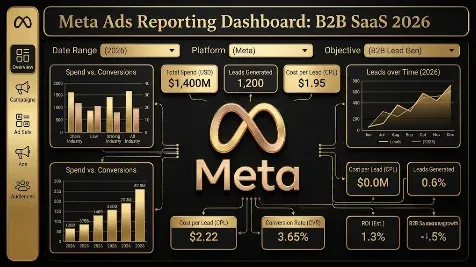
Meta Ads Reporting Dashboard for B2B SaaS (2026): Three Layers, the Executive Summary, and a Dashboard That Drives Decisions
Quick answer: A Meta ads reporting dashboard for B2B SaaS should drive decisions, not display vanity metrics, so build it in three layers matched to who reads it: a daily-to-weekly efficiency view for the media buyer (CPM, CTR, CPL, frequency), a weekly-to-biweekly lead-quality view for marketing leadership (lead-to-SQL, cost per qualified lead), and a monthly-to-quarterly pipeline-and-revenue view for finance (pipeline influenced, closed-won tied to Meta, CAC). Lead every report with an executive summary in plain language, what we did, what happened with before-and-after numbers, and what is next, then let the detail sit below it. Pull the data daily (fatigue plays out over 7 to 14 days) through a connector, Apps Script against the Marketing API, or a manual CSV, build the live dashboard in Looker Studio or Sheets with the standard sections (overview scorecards, campaign and creative breakdowns, a funnel view, frequency and reach, and trends), and add a creative-fatigue tracker and an A/B significance comparator so you stop calling tests by eye. Keep the numbers honest with window hygiene: use the 7-day-click window (the 7-day-view and 28-day-view windows were removed on January 12, 2026), apply a 3-to-7-day reporting lag since conversions update for up to 28 days, name one source of truth for revenue, and reconcile against the CRM.
Key takeaways
- Build three layers by audience and cadence: efficiency for the media buyer (daily/weekly), lead quality for leadership (weekly), pipeline and revenue for finance (monthly).
- Lead with an executive summary: what we did, what happened (before-and-after numbers), and what is next, with the metric detail below.
- Build the live dashboard in Looker Studio or Sheets with standard sections (overview scorecards, campaign and creative breakdowns, a funnel, frequency and reach, trends), pulled daily.
- Add a creative-fatigue tracker and an A/B significance comparator so you catch decaying ads and stop calling tests by eye at seven days.
- Keep window hygiene: 7-day-click window (7-day/28-day-view removed Jan 12, 2026), a 3-to-7-day reporting lag, one named source of truth for revenue, and CRM reconciliation.
Most B2B SaaS Meta reports are built backwards: they open with the metrics that are easy to pull (impressions, clicks, CPM) rather than the ones that drive a decision, and they are read by everyone and useful to no one. A good dashboard is the opposite, a decision instrument, structured so each person who opens it sees the numbers they can act on, at the cadence they act on them, with a plain-language summary on top. This is the 2026 guide to building a Meta ads reporting dashboard for B2B SaaS: the three-layer structure, the executive summary, how to pull the data and build the dashboard, the two views that earn their keep, and the hygiene that keeps the numbers honest. It is the build companion to the Meta attribution guide, which covers what to trust and how to attribute; this one covers how to construct the report.
Build three layers, by who reads it
The single biggest fix is to stop building one report for everyone and build three views for three audiences, each at its own cadence (this mirrors the three-tier framework in the attribution guide):
| Layer | Audience | Cadence | Core metrics |
|---|---|---|---|
| Efficiency | Media buyer | Daily to weekly | CPM, CTR, CPL, frequency, spend |
| Lead quality | Marketing leadership | Weekly to biweekly | Lead-to-SQL rate, cost per qualified lead, MQL-to-opportunity |
| Pipeline and revenue | Finance and executives | Monthly to quarterly | Pipeline influenced, opportunities, closed-won tied to Meta, CAC |
The efficiency layer tunes creative and delivery and should never be shown to finance as if it were results; the pipeline layer answers “is this channel making money” and should drive budget. Keeping them separate stops the common failure where a cheap CPL gets celebrated upstairs while the leads are junk. Set review cadence by account maturity too: weekly for new or high-spend accounts under active testing, biweekly for stable ones, and monthly for executive summaries.
Lead with an executive summary, not a metric dump
Whatever the layer, the report should open with a short narrative, because numbers without a story make the reader hunt for the point. A simple three-part summary works:
- What we did: the actions taken this period (scaled a prospecting audience, launched a creative test, switched an optimization event).
- What happened: the result, with before-and-after numbers (cost per qualified lead moved from X to Y while volume held).
- What’s next: the planned changes for the coming period.
Then put the metric detail below for the people managing the account. Keep an executive version (high-level pacing toward goals, monthly) separate from the tactical version (the metric detail, weekly), so each reader gets the depth they need.
How to pull the data and build the dashboard
Pick a connection method by how often you need fresh numbers: a manual CSV export (fine for quarterly reviews), Apps Script against the Marketing API with a daily trigger (one to two hours to set up), or a scheduled connector add-on for Sheets or Looker Studio (usually under ten minutes). Pull at daily granularity, and include the fields that let the report catch problems: identity (ad_id, ad_name, campaign_name, creative_name), fatigue signals (frequency, cpm, ctr, reach, impressions, spend), and outcomes (actions, action_values).
For the live dashboard itself, Looker Studio is the common choice, and the templates that work share a standard set of sections:
- Overview scorecards: spend, impressions, clicks, CTR, CPC, CPM, reach.
- Campaign and ad-level breakdowns: comparison tables with drill-down.
- Funnel view: impression to click to lead or purchase, with drop-off between steps.
- Creative performance: images and videos compared by engagement, CPC, CPM.
- Frequency and reach: a reach-versus-frequency chart to spot fatigue.
- Trends: month-over-month or daily spend and conversion charts.
- Cross-channel (optional): Meta alongside Google, LinkedIn, and branded search.
Use a tabbed layout (Overview, Campaigns, Creative, Trends) with a filter bar (campaign, objective, placement) so each reader can self-serve, and set the refresh to match your review cadence.
Report metrics by campaign objective
Do not show the same metrics for every campaign; organize them by objective, in tiers, so the headline numbers match what the campaign is for:
| Objective | Tier 1 (headline) | Tier 2 | Tier 3 (diagnostic) |
|---|---|---|---|
| Awareness | Reach, CPM, Frequency | Video views, ad recall lift | CTR, CPC |
| Traffic | Link clicks, CPC, CTR | Landing-page views, cost per LP view | Impressions, frequency |
| Leads | Leads, CPA | Conversion rate, CTR | CPC, CPM |
| Sales/Conversions | ROAS or pipeline, CPA, CVR | Trials, demos booked | CTR, CPC, CPM |
Dashboard 1: the creative-fatigue tracker
Creative fatigue, not targeting, is what caps most B2B Meta accounts, and it plays out over one to two weeks, so build a view that catches it early. Take your top ads by spend (say the top 50) and add calculated columns:
- 7-day rolling CTR: the trailing-seven-day average per ad.
- CTR decay: (today minus 7 days ago) divided by 7 days ago.
- CPM trend: the same percentage-change formula applied to CPM.
- Frequency velocity: the change in frequency over seven days.
- Fatigue flag: a rule such as frequency above 3 with CTR decay worse than minus 0.2 and CPM trend above 0.15.
Apply conditional formatting so flagged ads jump out, and calibrate the thresholds from six-plus months of your own data.
Dashboard 2: the A/B significance comparator
The other recurring failure is calling tests by eye after a few days. Build a comparator with the control and two to four variants as rows, and columns for cumulative clicks, conversions, conversion rate, lift versus control, the p-value (a pooled two-proportion z-test), whether it is significant at 95 percent, and an estimate of days to significance. The rule this enforces: do not call a test at seven days by default, check the sample size first (and in low-volume B2B, significance takes longer than you would like).
Keep the report honest: window, lag, and one source of truth
A dashboard that looks precise but uses sloppy windows will mislead you, so build in hygiene: use a consistent 7-day-click window (the 7-day-view and 28-day-view windows were removed from the Insights API on January 12, 2026), apply a 3-to-7-day reporting lag because conversions keep updating for up to 28 days, and always include a short data-discrepancy note that explains why Meta’s numbers differ from the CRM (attribution windows, cross-device, privacy changes) and names one source of truth for revenue, the CRM. The pipeline layer should pull from the CRM, not Ads Manager, because Meta over-reports its own contribution.
Field note: The single most useful change we make to a B2B SaaS Meta report is also the least technical: we split it into three and stop sending the same sheet to the media buyer and the CFO, and we put a three-sentence summary at the top so no one has to reverse-engineer the story from a wall of numbers. The buyer needs yesterday’s CPM and frequency so they can refresh a fatiguing ad today; the CFO needs last quarter’s closed-won tied to spend so they can decide next quarter’s budget, and when you hand both people the same forty-column spreadsheet, the buyer drowns in finance numbers they cannot act on and the CFO fixates on a cost-per-lead figure that has nothing to do with revenue. Once the layers are separate and each opens with “here is what we did, here is what happened, here is what’s next,” the second most useful change is building the fatigue tracker, because the thing that quietly kills these accounts is a winning ad decaying over two weeks while everyone watches the blended account average, which hides it. None of this requires a fancy tool; a Looker Studio dashboard or a Google Sheet pulling daily from the Marketing API does the job. The dashboard’s value is not in how it looks, it is in whether opening it changes what someone does that day, and a report that no one acts on is just expensive decoration with the client’s logo on it.
Honest limitations
- A dashboard reports reality, it does not fix it. It will show you a fatiguing ad or a junk-lead problem; acting is still on you.
- In-platform numbers over-report. The pipeline layer must come from the CRM, not Ads Manager, or the report will flatter Meta (see the attribution guide).
- Thresholds and templates are starting points. The fatigue-flag and significance rules, and any off-the-shelf Looker Studio template, need calibrating to your account and objective.
- Automation needs maintenance. API versions, tokens, and removed windows change, so a set-and-forget dashboard will quietly break; review it quarterly.
- Low-volume B2B makes significance slow. With few conversions a week, A/B tests take longer to reach significance than an optimistic estimate suggests.
- This is educational, not financial advice; verify current Meta reporting behavior against Meta’s documentation.
Frequently Asked Questions
Q1. How should I structure a Meta ads report for B2B SaaS?
Build it in three layers matched to who reads it and how often they act, and lead each with a short narrative summary rather than a metric dump. The efficiency layer is for the media buyer and refreshes daily to weekly, showing CPM, CTR, CPL, frequency, and spend so they can tune creative and delivery. The lead-quality layer is for marketing leadership and refreshes weekly to biweekly, showing lead-to-SQL rate, cost per qualified lead, and MQL-to-opportunity so they can judge whether the leads are any good. The pipeline-and-revenue layer is for finance and executives and refreshes monthly to quarterly, showing pipeline influenced, closed-won tied to Meta, and CAC so they can decide budget. Keeping these separate solves the most common reporting failure, where a cheap cost-per-lead number gets celebrated at the top of the company while the leads never convert. Above all three layers, put an executive summary, what we did, what happened with before-and-after numbers, and what is next, so the reader gets the story before the detail. The efficiency metrics are a tuning instrument for the person optimizing day to day and should never be presented upstairs as if they were business results.
Q2. What should go in the executive summary of a Meta ads report?
Three short parts, in plain language, before any metric tables. First, what we did: the concrete actions taken this period, such as scaling a prospecting audience, launching a creative test, or switching the optimization event from trial starts to paid customers. Second, what happened: the result, stated with before-and-after numbers so it is concrete, for example cost per qualified lead moved from 180 dollars to 140 while volume held steady, or pipeline-attributed ROAS improved from 3.5 to 4.1. Third, what’s next: the planned changes for the coming period and why. This narrative matters because numbers without a story force the reader to reverse-engineer the point, and most executives will not, so a report that opens with a metric wall gets skimmed and misunderstood. Keep an executive version of this summary focused on high-level pacing toward goals (usually monthly) separate from the tactical detail the account team needs, so each audience gets the right depth. The summary is also where you set expectations honestly: if performance declined, say so, give the diagnosis and the action plan, and tie it back to the longer-term goal rather than burying the bad news in a table.
Q3. How do I build the dashboard, and in what tool?
Pull the data daily and build the live view in Looker Studio or Google Sheets. For the data pull, choose by freshness needs: a manual CSV export for quarterly reviews, Google Apps Script against the Marketing API with a daily time trigger for an automated free option (one to two hours of setup), or a scheduled connector add-on for Sheets or Looker Studio for the fastest setup (often under ten minutes). Pull at daily granularity and include identity fields (ad and campaign names), fatigue signals (frequency, CPM, CTR, reach, spend), and outcomes (actions and values). For the dashboard, Looker Studio is the common choice, and effective templates share a standard set of sections: overview KPI scorecards (spend, impressions, CTR, CPC, CPM, reach), campaign and ad-level breakdown tables with drill-down, a funnel view showing impression-to-click-to-lead drop-off, a creative-performance comparison, a reach-versus-frequency chart to spot fatigue, and trend charts over time. Use a tabbed layout with a filter bar (campaign, objective, placement) so each reader can self-serve, match the template to your goal (lead-gen templates center on CPL, not ROAS), and set the refresh frequency to match your review cadence rather than refreshing constantly for no one.
Q4. Which metrics should I report for each campaign type?
Organize metrics by campaign objective in tiers, so the headline numbers match what the campaign is actually for rather than showing the same columns everywhere. For awareness campaigns, the tier-one headline metrics are reach, CPM, and frequency, with video views and ad-recall lift as tier two and CTR and CPC as diagnostics. For traffic campaigns, lead with link clicks, CPC, and CTR, then landing-page views and cost per landing-page view, then impressions and frequency. For lead campaigns, lead with leads and CPA, then conversion rate and CTR, then CPC and CPM. For sales or conversion campaigns, lead with ROAS or pipeline value, CPA, and conversion rate, then deeper actions like trials or demos booked, then the efficiency diagnostics. The principle is that the tier-one metrics are what you judge the campaign on, and the lower tiers are there to diagnose why tier one is moving, so an awareness campaign should never be judged on CPA and a lead campaign should never be celebrated for cheap reach. Reporting objective-appropriate metrics also stops the common mistake of holding a top-of-funnel awareness campaign to bottom-of-funnel conversion standards, which makes genuinely useful awareness work look like failure.
Q5. How do I build a creative-fatigue tracker?
Creative fatigue is what caps most B2B Meta accounts and it plays out over one to two weeks, so build a view that surfaces decaying ads before the blended account average hides them. Take your top ads by spend, around the top 50, and add calculated columns computed from daily data: a 7-day rolling CTR (the trailing-seven-day average per ad), CTR decay (today’s value minus the value seven days ago, divided by seven days ago), a CPM trend using the same percentage-change formula, and frequency velocity (the change in frequency over seven days). Then add a fatigue flag, a rule that fires when the signals align, for example frequency above 3 combined with CTR decay worse than minus 0.2 and a CPM trend above 0.15, and apply conditional formatting so flagged ads stand out. Calibrate the thresholds from at least six months of your own data, because what counts as fatigue varies with audience size, and small B2B audiences fatigue faster than large ones. The payoff is operational: instead of noticing that overall performance is slipping with no idea why, you open the tracker and see precisely which ads have decayed and need replacing, turning a vague problem into a specific action, and because frequency rising past roughly 3 to 4 in a short window is a classic fatigue signal, the tracker often catches the problem a week before it shows up in the blended numbers.
Q6. What attribution and hygiene rules keep a Meta report honest?
Use a consistent 7-day-click attribution window for B2B SaaS, and know that the 7-day-view and 28-day-view windows were removed from Meta’s Insights API on January 12, 2026, so older templates that relied on them will break or silently change. Build in a reporting lag of three to seven days, because Meta’s conversion data keeps updating for up to 28 days as late conversions attribute back, so yesterday’s numbers are not final and presenting them as final makes recent performance look worse than it is. Always include a short data-discrepancy note in the report that explains why Meta’s numbers differ from the client’s CRM or analytics (attribution windows, cross-device tracking, iOS privacy changes) and names one source of truth for final revenue, which should be the CRM. The pipeline-and-revenue layer of the dashboard must pull from the CRM rather than Ads Manager, because Meta over-reports its own contribution, so a report that treats Ads Manager’s conversion count as truth will confidently point budget in the wrong direction. Treating the dashboard as an instrument that needs consistent windows, a settling lag, a discrepancy explanation, and CRM reconciliation is what separates a report that guides good budget decisions from one that flatters the channel.
Q7. How is a reporting dashboard different from attribution?
They answer different questions and you need both. A reporting dashboard is the instrument: it is how you pull, structure, and display the data so the right person sees the right numbers at the right cadence, and this guide covers how to build one, the three layers, the executive summary, the data pull, the Looker Studio sections, the fatigue tracker, the significance comparator, and the window hygiene. Attribution is the harder question of what those numbers actually mean and how much credit Meta truly deserves: why in-platform numbers over-report for long B2B cycles, how to feed CRM conversions back, and how to use multi-touch attribution and incrementality tests to establish causation rather than correlation. A dashboard can be beautifully built and still mislead you if its attribution logic is naive, for instance if it trusts Ads Manager’s conversion count as truth, which is why the two work together: the dashboard presents the data and the attribution framework tells you which parts to believe and how to reconcile them against pipeline. In practice, build the dashboard using this guide, decide what to trust and how to credit the channel using the attribution guide, and make sure the pipeline layer of your dashboard reflects CRM-reconciled, attribution-aware numbers rather than raw platform-reported conversions.
If you want a Meta reporting setup that drives budget decisions instead of decorating a slide, book a demo with Growthspree.
Sources & further reading
- 2026 practitioner and tooling guides (Madgicx, Coupler, Databloo, Factors, Dataslayer) on Meta report structure (executive summary, objective-tiered metrics), Looker Studio dashboard sections, connecting Ads data to Sheets or Looker Studio, creative-fatigue and A/B significance dashboards, refresh cadence, and reporting gotchas. Field names, thresholds, and template specifics are practitioner-reported; calibrate against your own account.
- Meta Ads Help and Meta for Developers (Insights API, attribution-window changes effective January 12, 2026, Pixel and Conversions API).
- GrowthSpree (B2B SaaS reporting practice: three layers by audience, executive summary first, daily data with human review by cadence, fatigue tracking, CRM-reconciled pipeline layer).
- Companion: Meta Ads Attribution for B2B SaaS (what to trust and how to attribute); Meta Ads Campaign Structure for B2B SaaS; Meta Ad Creative for B2B SaaS; Meta Conversions API for B2B SaaS.
This guide is educational, not financial advice; Meta’s reporting APIs and attribution windows change, so verify current behavior against Meta’s documentation and validate against your own account.
Related guides: Meta Ads Attribution for B2B SaaS · Meta Ads Campaign Structure for B2B SaaS · Meta Ad Creative for B2B SaaS · Meta Conversions API for B2B SaaS.