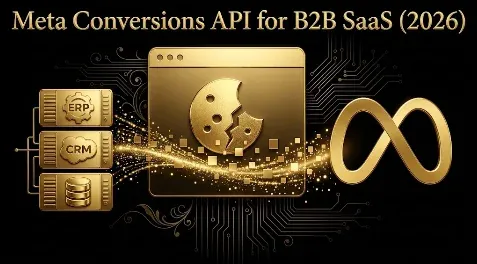
Meta Conversions API for B2B SaaS (2026): Why It Matters, Meta’s Own Requirements, Event Match Quality, and Sending CRM Events
Quick answer: The Meta Conversions API (CAPI) sends conversion events to Meta from your server instead of only from the browser pixel, and for B2B SaaS it is the single highest-leverage tracking fix. Browser-only tracking loses a large share of events to ad blockers (roughly a quarter to a third of users), iOS tracking limits, and cookie deprecation, so pixel-only setups commonly miss 30 to 60 percent of conversions, and the algorithm ends up optimizing on bad data. CAPI recovers that signal and, more importantly for B2B, lets you send the high-intent CRM events that happen weeks after the click (a qualified lead, an opportunity, a closed-won deal) so Meta learns to find buyers, not form-fillers. Per Meta’s own best practices, send action_source, external_id, and event_id on every event, run CAPI alongside the pixel with a shared event_id for deduplication, and push event match quality to 8 or above by sending hashed email and phone. Pick a setup method matched to your stack (one-click CAPI, a platform integration, the CAPI Gateway, server-side GTM, or a direct Graph API build), ideally via a Meta Business SDK that hashes data for you. Mind the 2026 changes: the legacy Offline Conversions API is retired for CAPI Datasets, the 7-day-view and 28-day-view windows are gone, offline events must upload within 62 days, and server-side events still require consent.
Key takeaways
- Pixel-only loses 30 to 60 percent of conversions to ad blockers, iOS limits, and cookie decay; CAPI recovers that signal by sending events server-side.
- The B2B payoff is sending CRM events: push qualified-lead, opportunity, and closed-won events so Meta optimizes toward buyers, not form-fillers.
- Meta requires action_source, external_id, and event_id on every event; run pixel and CAPI together and deduplicate on a shared event_id (target above 90 percent).
- Push event match quality to 8 or above by sending hashed email (the biggest single gain) and phone, plus IP, name, and click IDs.
- Mind the 2026 changes: legacy Offline Conversions API retired for CAPI Datasets, 7-day/28-day-view windows gone, 62-day offline upload window, and server-side events still need consent.
If your Meta account is optimizing on browser-pixel data alone in 2026, it is optimizing on a fraction of the truth. Ad blockers, Apple’s tracking limits, and the slow death of third-party cookies mean a large share of conversions never reach Meta from the browser, and for B2B SaaS the problem is worse, because the events that actually matter (a sales-qualified lead, a closed deal) happen weeks after the click, far outside what any browser can see. The Conversions API fixes both. This is the 2026 guide to Meta CAPI for B2B SaaS: why it matters, what Meta’s own best practices require, how to get event match quality high, how to deduplicate, and how to send the CRM events that make Meta optimize for revenue. (For the HubSpot-to-Meta version specifically, see GrowthSpree’s offline-conversions-from-HubSpot guide; this is the broader CAPI picture, and it pairs with the Meta attribution guide.)
Why CAPI matters, and why it matters more for B2B
Two problems make browser-only tracking inadequate, and CAPI answers both.
First, signal loss. Roughly a quarter to a third of users run ad blockers that block the pixel outright, iOS tracking limits strip identifiers, and cookies are decaying, so pixel-only setups commonly miss 30 to 60 percent of conversions. Server-side capture recovers a large chunk of that (browser-side capture often sits around 60 percent versus closer to 95 percent server-side). Fewer events means weaker optimization and inflated apparent cost, so recovering them is a direct performance gain; Meta reports CAPI advertisers see meaningfully lower cost per result on average.
Second, and bigger for B2B: the events that matter happen later. In DTC a purchase fires minutes after the click; in B2B SaaS the deal closes in weeks. If the only event you send is a form fill, you teach Meta’s algorithm to find more people who fill forms, which is not the same as people who buy. CAPI lets you send the real downstream events from your CRM, a sales-qualified lead, an opportunity created, a closed-won deal, when they happen, so the algorithm learns to find buyers. That single shift, from optimizing to leads to optimizing to qualified pipeline, is the highest-leverage move most B2B SaaS accounts can make.
Pixel and CAPI together, not instead
CAPI does not replace the pixel; you run both. Meta’s own guidance is explicit: run server events alongside the pixel rather than replacing it, because CAPI captures events the pixel misses due to ad blockers, network issues, and page-load failures. The pixel captures browser events in real time (and still powers some features), CAPI captures server and CRM events the browser misses, and together they give the fullest picture. The catch is that an event can arrive twice, once from each path, so you must deduplicate (below).
What Meta’s own best practices require
Much of the confusion around CAPI comes from vendor guides; Meta’s developer documentation is specific about what to send:
- Required on every event:
action_source(and it must be accurate),external_id, andevent_id. - Required for website events:
event_source_urlandclient_user_agent. - High-value matching fields: email (
em), IP address (client_ip_address), first and last name (fn,ln), and phone (ph). More matching fields generally lift event match quality. - Invalid combinations: events carrying only certain subsets are rejected for matching (for example
fnplus gender alone, or date of birth plus user agent alone), so always pair weak signals with a strong one like email. - For offline and CRM events: set
action_sourceto a non-website value (such assystem_generatedfor a CRM event orphysical_storefor in-store).
The strong recommendation is to implement through a Meta Business SDK (Python, Java, Ruby, PHP, or Node), which hashes user data automatically; if you do not use an SDK, you must hash it yourself (SHA-256). Validate everything with Meta’s Test Events tool using real customer details, check your payload with the Payload Helper, and if you are an agency sending on a client’s behalf, include a partner_agent string naming your platform.
Event match quality: push it to 8 or above
Event match quality (EMQ) is Meta’s 0-to-10 score, shown per event in Events Manager, for how well it can match your events to real accounts, and only matched events can be used for attribution and delivery optimization. Meta’s labels are Poor (under 4), OK (4 to 5.9), Good (6 to 7.9), and Great (8 and up). Typical targets: Purchase or closed-won 8.8 to 9.3 (pixel-only often sits at just 3.5 to 5), Lead 7.5 to 8.5, with lighter events lower. Aim for 8 or above on your key events. One caveat straight from Meta: EMQ is currently available only for web events, so for offline and CRM events you confirm quality differently.
How to raise it, by impact:
- Hashed email is the single biggest gain (worth up to several points). Lowercase, then hash with SHA-256.
- Hashed phone in E.164 format (with country code), then SHA-256.
- IP address and user agent on web events, plus the click ID (
fbc/fbclid) from the ad URL and the_fbpcookie read server-side (refresh these regularly if you send them). - external_id (your own user or account ID), plus name, city, postcode, and country where available.
- Turn on Automatic Advanced Matching in pixel settings for a quick browser-side gain.
Deduplication: the step most teams get wrong
Because the pixel and CAPI can each send the same event, you must deduplicate. Meta’s method: send the same event_name from both the pixel and CAPI, and include either event_id, or the combination of external_id and fbp (Meta recommends including all of these). Use a stable shared ID such as the deal or order ID, sent identically from browser and server. The common failures are a # prefix on one side but not the other, randomly generated UUIDs that do not match, a missing ID on one side, or a server event that arrives too late. Targets to hold: a deduplication rate above 90 percent, and Meta-reported conversions at roughly 0.95 to 1.05 times your actual count; above that suggests double-counting, below it suggests gaps.
Sending CRM events (the B2B part)
This is where CAPI earns its keep for SaaS. Map your funnel to Meta events, for example a sales-qualified lead, an opportunity created, and a closed-won deal, and send them server-side as they happen. A few essentials: capture the original fbclid at lead creation so you can attribute the later CRM event back to the ad, set action_source to a non-website value for CRM events, send event_time in UTC, and upload offline events within 62 days or they will not count. A practical rollout is to keep roughly 20 percent of spend optimizing to the lead event while you move the other 80 percent to the closed-won (or qualified) CAPI event, and track CAC and LTV side by side for about 30 days to confirm the shift is working. Note that the legacy Offline Conversions API has been retired in favor of CAPI Datasets, so CRM and offline events now flow through the same CAPI path as web events.
The setup methods, briefly
| Method | Cost / effort | Sends CRM/offline events? |
|---|---|---|
| One-click CAPI (Events Manager) | Free, no dev | No |
| Platform integration (CMS/commerce) | Free with platform | Limited |
| CAPI Gateway (e.g. via Stape) | Free tier or ~$10/pixel/mo | Partly |
| Server-side GTM | ~$50-150/mo hosting | Yes, with config |
| Direct Graph API build (via Business SDK) | ~20-80 dev hours | Yes |
For B2B SaaS the deciding column is the last one: to send closed-won and pipeline events from your CRM, you generally need server-side GTM, a direct Graph API integration (ideally through a Business SDK), or a CRM-native connector, not just the one-click option.
Consent and the 2026 changes
Server-side does not mean consent-free. Hashed emails and phone numbers are still personal data, so consent must be checked on the server before server events fire, your consent management platform should extend its signals to server-side events, and you should not send identifiers for users who have not consented (use the Limited Data Use flag where required, and update your privacy policy to describe server-side transmission). Regulators are active here, with a February 2026 German court ruling awarding damages per affected user for non-consented transmission. Key dated changes: the legacy Offline Conversions API is retired for CAPI Datasets; iOS link-tracking protection strips fbclid from some links; the 7-day-view and 28-day-view attribution windows were retired on January 12, 2026; recent Graph API versions (v24.0 and up) make CAPI effectively essential; and offline events must be uploaded within 62 days.
Field note: The pattern we see again and again in B2B SaaS Meta accounts is a perfectly competent-looking setup that is quietly optimizing for the wrong thing. The pixel is installed, the lead event fires, the dashboard shows leads coming in at a reasonable cost, and everyone is satisfied, except the sales team, who will tell you most of those leads are junk. What happened is that the account only ever told Meta about form fills, so Meta did exactly what it was asked and went and found the cheapest possible form-fillers, which in B2B is a bottomless supply of students, competitors, and people who will never buy. The fix is not better targeting or better creative; it is sending the real downstream events. The day you start pushing sales-qualified leads and closed-won deals back to Meta through CAPI, the algorithm has a completely different target, and within a cycle or two it stops chasing cheap leads and starts finding the expensive, rare people who actually convert. The irony is that this looks like worse performance at first, because your cost per “conversion” goes up when the conversion is now a qualified deal instead of a form fill, and teams who do not understand what they changed sometimes panic and revert. The ones who hold their nerve, and watch CAC against LTV rather than cost per lead, usually find the account quietly becomes the most profitable channel they have, because for the first time it is optimizing for money instead of for motion.
Honest limitations
- CAPI improves data, not a broken offer. If leads do not convert, cleaner tracking just measures the problem more accurately.
- CRM events need enough volume. If closed-won happens only a handful of times a month, Meta may not get enough signal to optimize on it directly; you may need to optimize to an earlier qualified event (see the campaign structure and budget guides).
- Some benchmark figures are vendor-reported. Signal-loss percentages and cost-per-result improvements come from vendor and platform claims and vary by account; the parameter and deduplication rules come from Meta’s own documentation, which you should still verify against the current version.
- Setup can be technical. Server-side GTM and direct Graph API builds need engineering time, and misconfigured deduplication can make reporting worse, not better.
- Consent rules are jurisdictional and changing. Treat the regulatory notes here as a prompt to check current law, not as legal advice.
- This is educational, not legal or financial advice; verify current behavior against Meta’s documentation and your own setup.
Frequently Asked Questions
Q1. What is the Meta Conversions API and why does B2B SaaS need it?
The Meta Conversions API (CAPI) sends conversion events to Meta directly from your server, rather than only from the browser-based pixel. B2B SaaS needs it for two reasons. First, browser-only tracking loses a large share of events, roughly a quarter to a third of users run ad blockers that block the pixel, iOS tracking limits strip identifiers, and cookies are decaying, so pixel-only setups commonly miss 30 to 60 percent of conversions, which starves Meta’s algorithm of the data it needs. Second, and more important for B2B, the events that actually matter happen weeks after the click: a sales-qualified lead, an opportunity, a closed-won deal. The browser cannot see those, but CAPI can send them from your CRM when they happen, so Meta learns to find real buyers instead of the cheapest form-fillers. That shift from optimizing to leads toward optimizing to qualified pipeline is the single highest-leverage tracking change most B2B SaaS accounts can make, and it is why Meta’s own documentation now treats CAPI as essential rather than optional, especially with recent Graph API versions.
Q2. What parameters does Meta require me to send with CAPI?
Per Meta’s own best practices, every event must include action_source (which must accurately describe where the event happened), external_id, and event_id. Website events additionally require event_source_url and client_user_agent. Beyond those, you should send as many high-value matching fields as you have, because more matching fields raise event match quality: email (em), IP address (client_ip_address), first and last name (fn, ln), and phone (ph) are the strong ones. Meta also rejects certain weak-only combinations for matching, such as first name plus gender alone or date of birth plus user agent alone, so always pair weak signals with a strong identifier like email. For offline and CRM events, set action_source to a non-website value like system_generated. The cleanest way to get all of this right is to implement through a Meta Business SDK (available for Python, Java, Ruby, PHP, and Node), which hashes user data automatically; if you build it yourself you must hash personal data with SHA-256. Validate with Meta’s Test Events tool using real customer details, since test or fake data gets discarded.
Q3. How does CAPI deduplication work?
Deduplication stops Meta from counting the same conversion twice when it arrives from both the pixel and CAPI. Meta’s method is to send the same event_name from both sources and include either event_id, or the combination of external_id and fbp, and Meta recommends including all of these for safety. In practice you use a stable shared identifier, such as the deal or order ID, sent identically from the browser and the server. The common failures are subtle: a ”#” prefix on the ID from one source but not the other, randomly generated UUIDs that differ between browser and server, a missing ID on one side, or a server event that arrives too late to be matched within the window. The targets to hold yourself to are a deduplication rate above 90 percent and Meta-reported conversions at roughly 0.95 to 1.05 times your actual count; above 1.05 suggests double-counting from failed deduplication, while below 0.95 suggests you are losing events. Getting this right is essential, because broken deduplication inflates your numbers and makes CAPI reporting worse rather than better, which defeats the point of adding it.
Q4. What is event match quality and how do I improve it?
Event match quality (EMQ) is Meta’s 0-to-10 score, shown per event in Events Manager, for how well it can match the events you send to real Meta accounts, and it matters because only matched events can be used for attribution and delivery optimization. Meta labels scores as Poor (under 4), OK (4 to 5.9), Good (6 to 7.9), and Great (8 and above), and you should aim for 8 or higher on key events; a well-configured Purchase or closed-won event often reaches 8.8 to 9.3, versus just 3.5 to 5 for pixel-only. You raise EMQ mainly by sending more and better identifiers: hashed email is the single biggest gain (lowercase, then SHA-256), hashed phone in E.164 format is next, then IP address and user agent on web events, the click ID (fbc or fbclid) from the ad URL, the browser ID (_fbp cookie) read server-side, your own external_id, and name, city, postcode, and country where available. Turning on Automatic Advanced Matching in pixel settings gives a quick browser-side boost. One caveat from Meta: EMQ is currently reported only for web events, so for offline and CRM events you confirm quality through other checks rather than the EMQ score.
Q5. Which CAPI setup method should I use?
Choose by your stack and whether you need to send CRM events. One-click CAPI in Events Manager is free and needs no developer, but it only covers standard web events, not CRM ones. Platform integrations for supported content or commerce platforms are free and give fuller standard parameters. The CAPI Gateway is a cloud relay with a free tier or roughly 10 dollars per pixel per month through a host like Stape, good for teams without a server engineer. Server-side Google Tag Manager, at roughly 50 to 150 dollars a month in hosting, routes events to Meta and other platforms and supports CRM events with configuration. A direct Graph API integration, ideally built through a Meta Business SDK that handles hashing, gives full control including offline and CRM events but takes roughly 20 to 80 developer hours. For B2B SaaS the deciding factor is usually the ability to send closed-won and pipeline events from your CRM, which generally means server-side GTM, a direct Graph API build, or a CRM-native connector rather than the one-click option, so most serious B2B setups end up in that more capable tier.
Q6. How do I send CRM events like closed-won deals to Meta?
Map your funnel stages to Meta events, for example a sales-qualified lead, an opportunity created, and a closed-won deal, and send them server-side from your CRM as they happen, using server-side GTM, a direct Graph API integration, or a CRM-native connector. The legacy Offline Conversions API has been retired, so these now flow through CAPI Datasets on the same path as web events. A few essentials make it work: capture the original fbclid (click ID) at the moment the lead is created and store it, so that when the deal closes weeks later you can attribute that CRM event back to the original ad; set action_source to a non-website value such as system_generated; send event_time in UTC; and make sure offline events are uploaded within 62 days of occurring, or Meta will not count them. A sensible rollout is to keep roughly 20 percent of spend optimizing to the lead event while you shift the other 80 percent to the closed-won or qualified CAPI event, then track CAC against LTV for about 30 days to confirm the change is improving real economics rather than just moving numbers around. This is the step that turns Meta from a lead machine into a pipeline channel.
Q7. What are the 2026 changes to Meta tracking I need to know?
Several matter for CAPI. The legacy Offline Conversions API has been retired in favor of CAPI Datasets, so if you were uploading offline conversions the old way you need to migrate to the unified CAPI path. The 7-day-view and 28-day-view attribution windows were retired on January 12, 2026, which changes how view-based conversions are credited and is especially relevant for long B2B cycles. Apple’s iOS link-tracking protection now strips the fbclid click ID from some links, which makes capturing and storing that ID server-side at lead creation more important than ever. Recent Graph API versions (v24.0 and up) have tightened requirements in ways that make CAPI effectively essential rather than optional. Offline and CRM events must be uploaded within 62 days of the event to count. And on consent, server-side transmission does not exempt you from privacy rules: hashed emails and phone numbers are still personal data, consent must be checked on the server before events fire, and regulators have begun awarding damages for non-consented transmission, so your consent management platform should extend its signals to server-side events. Verify the current specifics in Meta’s developer documentation and with your legal team before implementing.
If you want Meta tracking set up so the algorithm optimizes for pipeline instead of form fills, book a demo with Growthspree.
Sources & further reading
- Meta for Developers, Conversions API Best Practices (required parameters action_source/external_id/event_id, website-event fields, high-value matching fields, invalid combinations, deduplication via event_id or external_id plus fbp, Business SDK hashing, Test Events, Payload Helper, Conversion Lift Studies) and Meta Ads Help (CAPI Datasets, event match quality, attribution-window changes effective January 12, 2026, 62-day offline upload window).
- 2026 practitioner and vendor guides (Cometly, Grow with Sakib, Piotr Litwa, SaaS Hero, Triple Whale) on signal loss, setup methods, EMQ targets, and sending CRM events. Signal-loss and cost-per-result figures are vendor- and platform-reported ranges to calibrate against your own data.
- GrowthSpree (B2B SaaS CAPI practice: run pixel plus CAPI, meet Meta’s parameter requirements, push EMQ to 8+, send qualified and closed-won CRM events, optimize to pipeline).
- Companion: Meta Ads Attribution for B2B SaaS; sending offline conversions from HubSpot to Meta; Meta Ads Campaign Structure for B2B SaaS; Meta Ads Budget for B2B SaaS.
This guide is educational, not legal or financial advice; Meta’s tools and privacy requirements change, so verify current behavior against Meta’s documentation and your own setup.
Related guides: Meta Ads Attribution for B2B SaaS · Meta Ads for B2B SaaS · Meta Ads Campaign Structure for B2B SaaS · Meta Ads Budget for B2B SaaS.