Pipeline,
not promises.
Senior operators audit your funnel in 48 hours. Ship 3 specific moves in 30 days.
- Full-funnel audit · 4 velocity levers
- 3 wins to ship in 30 days
- $3K flat · month-to-month
30-min call · No commitment
- Full-funnel audit · 4 velocity levers
- 3 wins to ship in 30 days
- $3K flat · month-to-month
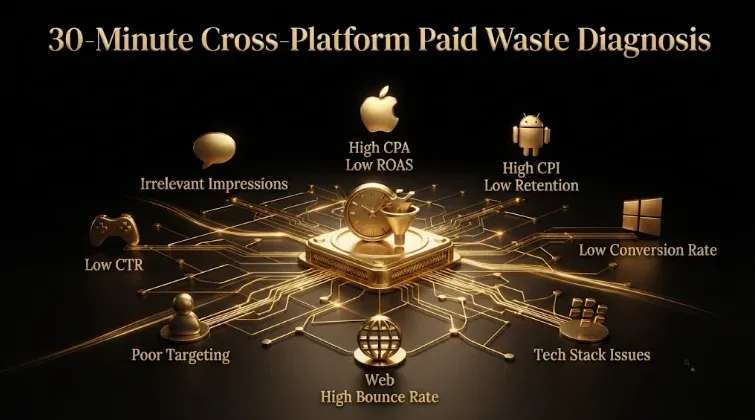
The 30-Minute Cross-Platform Waste Diagnosis for B2B SaaS: Find Your Biggest Paid Leaks Fast
Quick answer: You can find where a B2B SaaS paid account is leaking money in about 30 minutes — but not with a generic checklist, because each platform wastes budget in a different place. This is a fast cross-platform triage: spend ~10 minutes on Google checking measurement (search terms, conversion tracking, branded-search share, broad-match drift), ~10 minutes on LinkedIn checking targeting (job-function exclusions, seniority, company size, decision-maker budget share), ~5 minutes on Meta checking audience quality (prospecting vs retargeting, lookalike source), and ~5 minutes on the cross-platform layer (is any CRM/offline signal connected on each channel?). The goal isn’t a full audit — it’s to find your single biggest leak and identify which type of problem it is (measurement, targeting, audience, or attribution), so you know which deep fix to run. Sequence any remediation the same way everywhere: exclusions and fixes first, bids second, funding last.
Key takeaways
- 30-minute triage, not a full audit — find the biggest leak and its type, fast.
- Check each platform where it leaks: Google = measurement, LinkedIn = targeting, Meta = audience.
- The output is a diagnosis (which platform, which problem type), not a fix list.
- A fifth check: is qualified-pipeline/CRM signal connected on each channel?
- Then remediate in order: exclusions/fixes first, bids second, funding last.
Full paid audits take 2–4 hours and are worth doing quarterly. But you don’t need a full audit to find where the money is leaking right now — you need a fast, structured triage that checks each platform where it actually fails. This is that 30-minute diagnosis: what to look at on each channel, in what order, to find your biggest leak and know which deep fix it calls for. (For the full platform-by-platform audits and recovery frameworks, this routes into the deeper waste reports and audit checklists.)
Why a 30-minute triage — and why cross-platform
Because the two most common ways teams handle waste both fail. Either they never audit (and quietly donate 25–40% of budget to the platforms), or they run a generic single-platform checklist that misses two-thirds of the leaks. A triage solves both: it’s fast enough to actually happen, and cross-platform enough to catch the real problem. The key principle — the one that makes this different from every “30-minute Google Ads audit” — is that each platform wastes budget in a structurally different place, so you check each where it leaks:
- Google Ads waste hides in measurement (the account optimizes to the wrong signal).
- LinkedIn Ads waste hides in targeting (paying to reach non-buyers).
- Meta waste hides in audience quality (broad prospecting reaching non-ICP users).
- Between platforms, waste hides in attribution (cross-platform influence invisible, so you cut the wrong channel).
Running a Google measurement checklist on LinkedIn (or vice versa) is why so many “audits” find little — they look for the leak in the wrong place. The triage below looks for each platform’s actual failure mode. The output isn’t “here’s everything wrong” — it’s “here’s your biggest leak, here’s what type it is, here’s the deep fix to run.”
Google Ads: 10 minutes on measurement
On Google, you’re checking whether the account is optimizing toward real pipeline or toward cheap junk. Fast checks, roughly in leak-size order:
- Search-terms report (last 90 days, sorted by spend). Flag any term with meaningful spend and zero conversions, and scan for “jobs,” “salary,” “course,” “free,” “template” queries. This is where broad-match drift shows up. (~3 min)
- Branded-search share. If brand terms eat 40%+ of spend and are reported as your “best” campaign, you’re crediting buyers who were already coming — strip it out mentally to see the real non-brand CAC. (~1 min)
- Conversion tracking sanity. Is the count set to “one” (not “every”) for lead-gen? Any duplicate tags? Do Google conversions match GA4/CRM within ~20%? A mismatch means the account is optimizing on bad numbers. (~3 min)
- Conversion window vs sales cycle. Default 30 days against an ~84-day B2B cycle means your best keywords look dead. (~1 min)
- PMax transparency. A single PMax campaign with no campaign-level reporting quietly pushing 60–80% of spend through Display/YouTube is a classic hidden leak. (~1 min)
- Device split. Desktop typically converts 2–3x mobile in B2B; a mobile-heavy spend split with poor mobile conversion is waste. (~1 min)
If the biggest issues are here, your problem is measurement — the deep fix is CRM reconciliation, tracking repair, signal, and search-terms mining, not “tighten targeting.”
LinkedIn Ads: 10 minutes on targeting
On LinkedIn, the waste is in plain sight in the audience — you’re checking whether your budget reaches people who can actually buy:
- Decision-maker budget share. The single most important LinkedIn check: what share of spend reaches actual ICP decision-makers? The benchmark reality is only ~33% does, against a 60%+ target — if you’ve never audited this, assume you’re leaking. (~3 min)
- Job-function exclusions. Are sales/BDR reps excluded? They’re the largest non-ICP wasted category — active, cheap to reach, and unable to buy. Also check students, consultants, and irrelevant functions. (~2 min)
- Seniority and company size. Is seniority targeting catching mislabeled non-decision-makers? Is company-size targeting leaking into sub-50-employee firms below your ICP? (~2 min)
- Audience size. Too broad (500K+) attracts non-buyers; too small (<~20K) starves the algorithm. (~1 min)
- Dayparting. Are ads running weekends and off-hours? Pausing dead hours recovers 20–30%. (~1 min)
- Frequency concentration. Is 80% of impressions hitting 20% of accounts? Company-level frequency capping spreads reach. (~1 min)
If the biggest issues are here, your problem is targeting — the deep fix is exclusion lists and audience construction (which cut waste from ~32% to ~12% in benchmark data), not measurement repair.
Meta: 5 minutes on audience quality
On Meta, you’re checking whether you’re using it in its 40–70%-waste mode (cold interest prospecting) or its 3–7x-ROAS mode (retargeting + CRM lookalikes):
- Prospecting vs retargeting split. How much spend is on cold broad/interest prospecting versus retargeting known accounts and CRM-sourced audiences? Cold B2B interest prospecting is the 40–70% waste zone — Meta’s professional targeting is weak. (~2 min)
- Lookalike source. Are lookalikes seeded on closed-won deals, or on weak signals (all leads, page visitors, work-email lists that often fail to match Meta accounts)? The seed determines whether the model finds buyers or lookalike-of-junk. (~1 min)
- Advantage+ / broad volume check. If running Advantage+/broad, are you feeding it ~50+ conversions/week? Most B2B SaaS (20–30 leads/week) isn’t, so the algorithm never learns and quietly wastes. (~1 min)
- Recent-buyer exclusion. Are existing customers/recent buyers excluded? Failing to exclude them wastes ~12% of budget on redundant impressions. (~1 min)
If the biggest issues are here, your problem is audience quality — the deep fix is first-party CRM data, retargeting emphasis, and qualified-signal feedback, not exclusion lists or tracking repair.
The fifth check: cross-platform signal (5 minutes)
Finally, the check that catches the leak between platforms — and the root cause underneath most of the others: is qualified-pipeline signal connected on each channel?
- CRM/offline conversions per platform. For Google, LinkedIn, and Meta each: is there any offline-conversion or CRM connection feeding qualified pipeline back, or is each optimizing to raw form-fills? If not, every platform is optimizing to junk by default — the single highest-leverage fix. (~3 min)
- Cross-platform attribution. Is there any measurement connecting the platforms and the CRM, or is each judged on last-click in isolation? Without it, 20–40% of cross-platform influence is invisible and you’re at risk of cutting the wrong channel. (~2 min)
If the biggest issue is here, your problem is attribution/signal — and it’s worth fixing first, because a clean qualified-pipeline signal improves every platform’s optimization at once. Often this fifth check reveals the real root cause: the platforms are all optimizing to form-fills because nobody connected the CRM.
What to do with the diagnosis
The triage produces a diagnosis, not a to-do list — here’s how to act on it:
- Identify your single biggest leak and its type (measurement / targeting / audience / attribution). Don’t try to fix everything; find the largest one.
- Route to the platform-specific deep fix. Measurement → Google audit and tracking repair; targeting → LinkedIn exclusion/audience rebuild; audience → Meta first-party rebuild; attribution → CRM connection and cross-platform measurement.
- Remediate in the universal order: exclusions/fixes first, bids second, funding last. Never add budget or re-optimize bids on top of an unfixed leak — it scales the waste.
- Re-run the triage after fixing. A 30-minute recheck confirms the leak is closed before you move to the next one.
The whole point is speed and direction: in half an hour you go from “something’s wrong with our paid” to “our biggest leak is LinkedIn targeting, here’s the fix” — which is far more useful than either ignoring the waste or drowning in a 4-hour audit before you’ve found the one thing that matters most. Triage first, deep-audit the leak you found second.
Field note: The reason most quick paid audits find nothing useful is that they’re single-platform checklists applied uniformly — you run the same “check your negative keywords and conversion tracking” list on every channel, which is the right check for Google and nearly useless on LinkedIn, where the money is leaking through the audience, not the measurement. Thirty minutes is plenty of time to find your biggest leak if you spend it looking in the right place on each platform: measurement on Google, targeting on LinkedIn, audience on Meta, and signal/attribution across all of them. The single most revealing check in the whole triage is usually the last one — whether any qualified-pipeline signal is connected on each channel — because when the answer is “no” (and for most B2B SaaS accounts it is), you’ve found the root cause of the junk on every platform at once: they’re all optimizing to form-fills because nobody told them what a real customer looks like. That one finding is often worth the whole 30 minutes. Don’t run a longer audit until you’ve run this shorter one — you need to know where to look deeply before you spend four hours looking, and the fast cross-platform triage is what tells you.
Honest limitations
- This is triage, not a full audit. It finds your biggest leak and its type; the deep fix still requires the full platform audit (and often CRM access) to execute.
- It needs baseline access and data. You need reporting access and enough spend history for the checks to be meaningful; brand-new accounts won’t have the data.
- Benchmarks are directional. The ~33% decision-maker share, 25–40% waste, and 20–40% cross-platform influence vary by account and are agency-composite figures — validate against your own.
- Some leaks need deeper analysis. Cross-platform attribution and true lead-quality assessment can’t be fully resolved in 30 minutes; the triage flags them for deeper work.
- Educational, not investment or financial advice — validate against your own accounts.
Frequently Asked Questions
Q1. Can you really diagnose a wasteful paid account in 30 minutes?
You can find the biggest leak and its type in 30 minutes — not run a full audit. The trick is a structured cross-platform triage that checks each platform where it actually leaks: ~10 minutes on Google (measurement), ~10 on LinkedIn (targeting), ~5 on Meta (audience quality), and ~5 on cross-platform signal/attribution. The output is a diagnosis (“our biggest leak is LinkedIn targeting”) that tells you which deep fix to run. A full audit (2–4 hours, quarterly) comes after, on the leak you found — triage first, deep-audit second.
Q2. Why not just use a standard Google Ads audit checklist?
Because a Google checklist looks for the leak in the wrong place on other platforms. Each platform wastes budget structurally differently — Google in measurement, LinkedIn in targeting, Meta in audience quality — so running Google’s “negative keywords and conversion tracking” checks on LinkedIn (where the money leaks through the audience) finds almost nothing. That’s why so many quick audits come up empty. A cross-platform triage checks each channel for its actual failure mode, which is why it finds the real leaks a single-platform checklist misses.
Q3. What should you check on Google in a quick triage?
Roughly in leak-size order: the search-terms report (spend with zero conversions; jobs/salary/free/template queries), branded-search share (40%+ reported as “best” is a red flag), conversion-tracking sanity (count set to “one,” no duplicate tags, Google-vs-CRM within ~20%), conversion window vs sales cycle (30 days against an 84-day cycle), PMax transparency (60–80% quietly going to Display/YouTube), and device split (desktop usually converts 2–3x mobile). If the biggest issues are here, your problem is measurement — fix CRM reconciliation, tracking, and signal.
Q4. What should you check on LinkedIn in a quick triage?
Decision-maker budget share first (only ~33% typically reaches actual ICP decision-makers vs a 60%+ target), job-function exclusions (are sales/BDR reps — the largest wasted category — excluded?), seniority and company-size leakage (mislabeled non-decision-makers, sub-50-employee firms), audience size (500K+ too broad, under ~20K too small), dayparting (weekends/off-hours waste 20–30%), and frequency concentration (80% of impressions on 20% of accounts). If the biggest issues are here, your problem is targeting — fix with exclusion lists and audience construction.
Q5. What’s the single most revealing check in the triage?
Usually the last one: whether any qualified-pipeline/CRM signal is connected on each platform. When the answer is “no” — and for most B2B SaaS accounts it is — you’ve found the root cause of junk on every platform at once, because they’re all optimizing toward raw form-fills, having never been told what a real customer looks like. Connecting qualified-pipeline signal is the single highest-leverage fix because it improves every platform’s optimization simultaneously. That one finding is often worth the whole 30 minutes.
Q6. In what order should you fix the leaks you find?
The universal order across every platform: exclusions and fixes first, bids second, funding last. Adding budget or re-optimizing bids on top of an unfixed leak just scales the waste, so you must stop the leak before turning up the pressure. After the triage identifies your biggest leak, route it to the platform-specific deep fix (measurement for Google, targeting for LinkedIn, audience for Meta, signal/attribution across all), remediate in that order, then re-run the 30-minute triage to confirm the leak is closed before moving on.
Q7. How often should you run this triage?
The 30-minute triage is useful monthly (or any time performance shifts, you take over an account, or before increasing spend), while a full platform audit is a quarterly, 2–4-hour exercise. The triage is the fast, frequent check that catches problems early and tells you where to look deeply; the full audit is the deep dive on the leak the triage surfaces. Running the quick triage before any budget increase is especially valuable — it stops you from scaling an account that’s wasting a third of its spend.
Sources & further reading
- GrowthSpree 2026 waste reports (Google $11.3M / LinkedIn 32%: where each platform leaks; ~33% decision-maker budget share; recovery to ~12%); Google Ads Audit Checklist for B2B SaaS (measurement-up audit).
- adspreview / Two Spouts / onemetrik (quick-audit modes; red flags: branded-search share, PMax opacity, broad-match drift, device split); Marqeable (broad match + smart bidding hides waste).
- Companion: The Cross-Platform Paid Waste Benchmark (why each platform leaks differently); Eliminate Junk Leads (the conversion-signal system).
This guide is educational, not investment or financial advice; it’s a triage (not a full audit), benchmarks are agency-composite and directional, and some leaks need deeper analysis, so validate against your own accounts.
Related guides: The Cross-Platform Paid Waste Benchmark for B2B SaaS 2026 · Google Ads Audit Checklist for B2B SaaS · $11.3M Google Ads Waste Report (43 B2B SaaS Accounts) · Clicks But No Demos: 7 Reasons B2B SaaS Google Ads Don’t Convert · Run B2B SaaS Paid Media With AI: What to Automate, What to Keep Human.