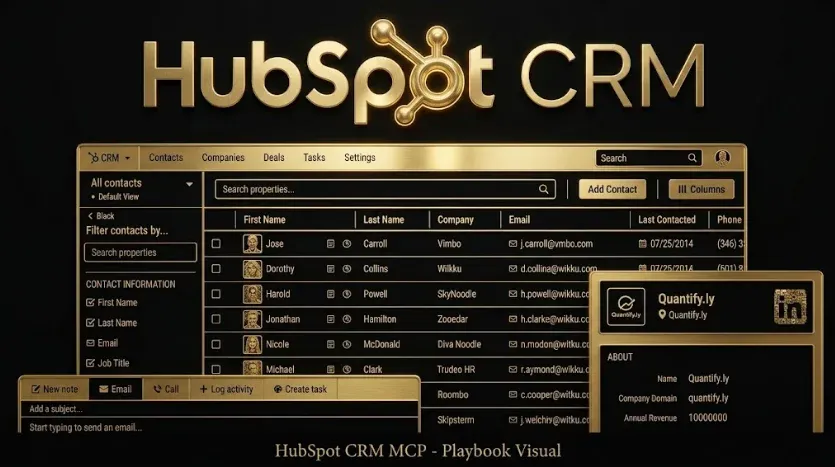
HubSpot CRM MCP: Conversational Account Analytics
Quick answer: A HubSpot CRM MCP server connects your HubSpot data to an AI assistant like Claude, so you can ask “which accounts crossed our lead-score threshold this week and haven’t been contacted?” and get an answer straight from the CRM — no report builder, no list views. It exposes contacts, companies, deals, and engagements through the HubSpot CRM API, so anyone on the team can interrogate the CRM in plain English.
Key takeaways
- What it is: a connector that exposes HubSpot CRM objects to an AI assistant as callable tools.
- Why it matters: it makes CRM answers available to everyone, not just whoever can build the right filtered view.
- Best for: routing gaps, lead-source quality, pipeline hygiene, and account briefing.
- Prerequisite: clean CRM hygiene — conversational access exposes inconsistent stages and stale scores fast.
- Security: connect read-only with a scoped private-app token; keep write access behind human review.
For B2B SaaS teams, the CRM is where marketing and sales are meant to agree on reality — but pulling the answer usually requires someone who knows how to build the right filtered view. A HubSpot CRM MCP server removes that bottleneck: it lets you connect HubSpot to Claude through the Model Context Protocol (MCP) so anyone can ask the question and get the same, current answer. This guide covers what a HubSpot MCP server is, how to set it up, the questions it answers, its limitations, and how to keep it secure.
HubSpot CRM MCP at a glance
| Attribute | Detail |
|---|---|
| What it connects | HubSpot CRM: contacts, companies, deals, engagements |
| Access type | Read-only for analytics (recommended) |
| Best-fit questions | Pipeline, lead source, account activity, routing |
| Setup effort | Low (scoped private-app token) |
| Main prerequisite | Consistent lifecycle stages and lead scoring |
What is a HubSpot CRM MCP server?
A HubSpot CRM MCP server is a connector that exposes the HubSpot CRM API — contacts, companies, deals, engagements, and custom properties — as tools an AI assistant can call. MCP (Model Context Protocol) is an open standard for connecting assistants to external data. Ask about pipeline, account activity, or lead sources and the assistant queries HubSpot directly and answers. It is, in short, conversational account analytics: the CRM’s data without the interface overhead.
How do you connect HubSpot to Claude?
The flow is broadly the same across HubSpot’s own MCP offering, community servers, and managed connectors. Confirm current steps and scopes in the connector’s documentation before installing.
- Create a HubSpot private app (or use a managed connector) and grant read scopes for contacts, companies, deals, and engagements.
- Choose a HubSpot MCP server and provide the app token. Keep scopes minimal — read-only is enough for analytics.
- Register it in your MCP client. Add the server to Claude Desktop or Claude Code and authorize.
- Verify the connection. Ask “how many deals are in the SQL stage right now?” to confirm data is flowing.
What can you ask a HubSpot CRM MCP server?
Once connected, you ask in plain English and the assistant queries the CRM. The prompts that deliver the most value:
- Routing gaps: “List accounts above lead score 70 with no owner activity in 5+ days.”
- Lead-source quality: “Which lead sources produced the most SQLs last quarter, and what was the MQL-to-SQL rate for each?”
- Pipeline hygiene: “Show deals in Proposal with no next step or last activity over 14 days ago.”
- Account briefing: “Summarize the last 5 engagements for [account] so I can brief the AE.”
- Cohort view: “Compare win rate for ABM-sourced vs. inbound deals this year.”
Report builder vs. conversational CRM analytics: what’s the difference?
| Need | HubSpot report builder / lists | HubSpot CRM MCP + Claude |
|---|---|---|
| Ad-hoc “which accounts…” question | Build a filtered list view | Ask in one sentence |
| MQL-to-SQL rate by source | Custom report + export | ”Break down MQL→SQL by source” |
| Brief an AE on an account | Open record, scroll history | ”Summarize the last 5 touches” |
| Marketing–sales alignment | Debate whose number is right | Same query, same answer |
Field note: A CRM connector is what makes ad-platform connectors worth having. Ad data tells you what you spent; the CRM tells you what it became. When both sit behind one assistant, “which accounts that engaged an ad this week are above our lead-score threshold?” becomes a single question — and marketing and sales finally read from the same source of truth.
How does a HubSpot CRM MCP fit your marketing stack?
On its own, a HubSpot CRM MCP server answers CRM questions. It becomes far more powerful joined with your acquisition data, because pipeline questions are cross-channel. Connect it alongside a Google Ads MCP server, a Linkedin Ads MCP Analyze Campaigns Ai, and a GSC MCP GA4 MCP SEO Analytics SaaS so one prompt can tie ad spend and on-site behavior to scored accounts and closed deals. To build the whole setup, see the complete MCP stack for B2B SaaS marketing teams and the MCP servers complete guide. Because the CRM is the source of truth for account scoring, this connector is central to account-based marketing with Claude, and it makes funnel questions like your MQL-to-SQL conversion benchmarks answerable on demand.
What are the limitations of a HubSpot CRM MCP server?
Answers are only as good as your CRM hygiene. If lifecycle stages are inconsistent or lead scores are stale, conversational access surfaces those flaws in high definition — which is actually the first win: fix the definitions, then let the team query with confidence. A read-only server also can’t clean your data or enforce process; it reports the state of the CRM as it is. Treat early “wrong-looking” answers as a data-quality audit, not a connector fault.
Is a HubSpot CRM MCP server secure?
With the right setup, yes. Use a scoped private-app token with read-only permissions for analytics, grant only the object types the assistant needs, store the token in a secret manager rather than committed files, and connect only the assistant instances that require it. If you later want the assistant to update records or create tasks, use a narrowly scoped write permission with human review rather than a blanket write token — treat CRM access with the same care as any integration that can read customer data.
Frequently Asked Questions
Q1. Does HubSpot offer an official MCP server?
HubSpot has moved to support AI-assistant access to CRM data, and both managed connectors and community HubSpot MCP servers are available. Any option should authenticate with a scoped private-app token and, for analytics, request read-only permissions. Confirm current options in HubSpot’s developer documentation.
Q2. How do I connect HubSpot to Claude?
Create a HubSpot private app with read scopes for contacts, companies, deals, and engagements, install a HubSpot CRM MCP server (or use a managed connector), register it in Claude Desktop or Claude Code, authorize, then ask “how many deals are in the SQL stage right now?” to confirm the connection.
Q3. Can the assistant edit my HubSpot records?
Only if you grant write scopes. For conversational analytics you want read-only. If you enable writes, scope them narrowly and keep a human in the loop for anything that changes CRM data.
Q4. How is this different from HubSpot’s built-in AI features?
A CRM MCP server puts HubSpot data inside a general assistant you can also point at ad platforms and analytics, so you can ask questions that cross the CRM boundary — for example tying ad engagement to scored accounts and pipeline.
Q5. Is my CRM data safe with a HubSpot MCP server?
Use a minimal read-only scope, store the token in a secret manager, and connect only the assistant instances that need it. Treat CRM access with the same care as any integration that can read customer data.
Q6. What do I need before a HubSpot CRM MCP server is useful?
Consistent lifecycle stages and a maintained lead-scoring model. Conversational access is only as reliable as the underlying CRM data, so clean definitions come first.
Sources & further reading
- HubSpot CRM API and private apps — HubSpot Developers documentation.
- Model Context Protocol — official specification, modelcontextprotocol.io.
- Anthropic — Claude documentation on connecting tools via MCP, docs.claude.com.
Related guides: The Complete MCP Stack for B2B SaaS Marketing Teams · Account-Based Marketing with Claude · Linkedin Ads MCP Setup Claude Free · 5 Minute Lead Response Rule B2B SaaS 2026.