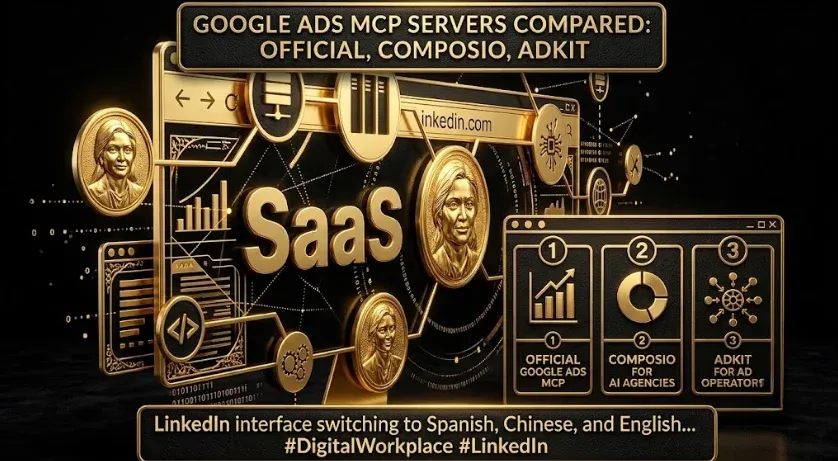
Google Ads MCP Servers Compared: Official Read-Only vs. Composio vs. AdKit vs. Zapier
Quick answer: There are four common ways to connect Google Ads to an AI assistant. Google’s official MCP server is read-only and best for reporting. Composio is a managed, multi-app router for teams that want many tools behind one endpoint. AdKit is built for making changes — creating campaigns and adjusting bids — with a draft-first safety net. Zapier is the fastest no-code path for simple pulls. Choose read-only for analysis; choose a write-enabled server only with human approval in the loop.
Key takeaways
- Reporting & audits: Google’s official read-only server is the cleanest fit.
- Multi-app agent workflows: a managed router such as Composio.
- Making account changes safely: a write-enabled, draft-first server such as AdKit.
- Fastest no-code pulls: Zapier.
- Rule of thumb: read for analysis, write only behind human approval.
“Connect Google Ads to an AI assistant” sounds like one task, but several Google Ads MCP servers do it and they are not interchangeable. The wrong choice either limits you to reporting when you wanted automation, or hands an agent write access to a live account with no guardrails. This comparison weighs the four most common options on the criteria that actually matter — access level (read vs. write), best-fit use case, setup effort, and safety model — so you can pick with confidence. Vendor capabilities change, so verify current features in each tool’s documentation before committing.
Google Ads MCP servers compared at a glance
| Option | Access | Best for | Setup effort |
|---|---|---|---|
| Google official MCP | Read-only (GAQL) | Reporting, audits, analysis | Developer / terminal |
| Composio | Read + write (routed) | Multi-app agent workflows | Managed, low-code |
| AdKit | Read + write (draft-first) | Campaign changes with safety | Managed, low-code |
| Zapier | Read + limited actions | Fast no-code pulls | No-code |
What is a Google Ads MCP server?
A Google Ads MCP server is a connector that exposes the Google Ads API to an AI assistant through the Model Context Protocol (MCP), an open standard for connecting assistants to external tools. Depending on the server, it can let the assistant read reporting data (via Google Ads Query Language, or GAQL) and, in some cases, make changes to campaigns. The differences between servers come down to how much they can do and how safely they let you do it — which is exactly what this comparison covers. For a ready-made option and setup walkthrough, see the Google Ads MCP resource and the wider MCP servers complete guide.
Google’s official Google Ads MCP server
Google publishes a first-party MCP server for the Google Ads API. Its defining trait is that it is read-only: the agent surface is essentially account discovery plus a search tool that runs GAQL and returns rows. It cannot change bids, pause campaigns, or create assets — and that boundary is the safety model, not a limitation to work around. For reporting, audits, and analysis it is the cleanest option, because the whole reporting layer collapses into one query tool. The trade-off: it is developer-oriented to set up (credentials, OAuth, config), and results depend heavily on the quality of your GAQL prompts. See our guide to the official Google Ads MCP and the GAQL prompt library to get the most from it.
Composio
Composio is a managed tool router. Rather than standing up one server per app, you connect Google Ads (and many other tools) and expose them to your agent through a single endpoint, with OAuth handled for you. It suits teams building agent workflows that span apps — pull Google Ads data, then act in another system — without maintaining servers. It can go beyond read-only, so apply approval discipline for any action that mutates an account.
AdKit
AdKit targets the thing the official server will not do: making changes. It lets an agent create campaigns, adjust bids, and manage keywords — but with a draft-first workflow, so proposed changes stage for review and nothing goes live until a human approves. If your goal is agent-assisted account management rather than reporting, a draft-first write server is the responsible way to do it.
Zapier
Zapier’s MCP path is the fastest to stand up with no code. For straightforward pulls and light actions it is hard to beat on time-to-value, and it plugs into the same Zap ecosystem you may already use. The trade-off is depth: for complex GAQL reporting or high-volume account management, purpose-built servers give you more control.
Which Google Ads MCP server should you choose?
- Reporting and audits: Google’s official read-only server, paired with a strong GAQL prompt library.
- Multi-app agent workflows: Composio, for one endpoint across many tools.
- Agent-made changes, safely: AdKit’s draft-first model, with human approval.
- Quickest no-code win: Zapier.
Read-only vs. write-enabled: which is safer?
Read-only servers pull data (reports, metrics, GAQL results) but cannot change your account, which gives them a clean risk profile for analysis. Write-enabled servers can create or edit campaigns, bids, and keywords — powerful, but only safe when changes stage as drafts for human approval. A common pattern in mature setups is to run two servers: the official read-only server for analysis, and a separate draft-first write server for changes, so each job has the right safety profile.
Field note: The read-only constraint removes write risk entirely; the moment you enable writes, the guardrail should be a human approving a diff, not trust in the agent. If a vendor offers write access without a draft-and-approve step, treat that as a reason to be cautious, not a convenience.
Frequently Asked Questions
Q1. What’s the difference between read-only and write-enabled Google Ads MCP servers?
Read-only servers pull data (reports, metrics, GAQL results) but cannot change your account. Write-enabled servers can create or edit campaigns, bids, and keywords. For analysis, read-only is safer; for account changes, choose a write server with a draft-and-approve workflow.
Q2. Which Google Ads MCP server is best?
It depends on the job. Google’s official read-only server is best for reporting and audits; Composio suits multi-app agent workflows; AdKit is best for making changes safely via a draft-first workflow; Zapier is the fastest no-code option for simple pulls.
Q3. Is Google’s official Google Ads MCP server free?
The server itself is open and provided by Google; you still need Google Ads API access (a developer token) and you host or run it. Costs are mostly your own infrastructure and API usage, not a license fee.
Q4. Can I use more than one Google Ads MCP server together?
Yes. A common pattern is the official read-only server for reporting plus a draft-first write server for changes, so analysis and execution each have the right safety profile.
Q5. Which option is best for managing many accounts?
A managed router or a service-account setup that can span manager (MCC) accounts scales better than per-account local installs. Scope credentials per account regardless of the server you pick.
Q6. Do vendor capabilities change?
Yes — MCP tooling is evolving quickly. Treat this comparison as a snapshot and verify current access levels and safety features in each provider’s documentation before you commit.
Sources & further reading
- Google Ads API — MCP server developer integration guide, Google for Developers.
- Google Ads Query Language (GAQL) reference — Google for Developers.
- Model Context Protocol — official specification, modelcontextprotocol.io.
- Vendor documentation — Composio, AdKit, and Zapier (verify current capabilities before choosing).
Related guides: Does Google Ads Have an Official MCP? · GAQL Prompt Library: 50 Queries · The Complete MCP Stack for B2B SaaS Marketing Teams.