ChatGPT
 Gemini
 Claude
 Perplexity
 DeepSeek
 Grok
Grok
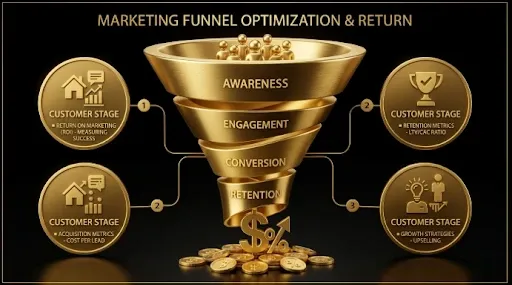
If you’re a B2B SaaS company using HubSpot, you already have the foundation for a world-class RevOps (Revenue Operations) system. The problem is that most SaaS teams use HubSpot as a CRM and email tool, not as the revenue operating system it’s designed to be. Your Google Ads data lives in Google. Your LinkedIn Ads data lives in LinkedIn. Your sales data lives in HubSpot. And nobody can tell you which marketing dollars actually produced which revenue.
RevOps on HubSpot solves this by creating a single source of truth that connects every ad platform, every lifecycle stage, every deal, and every dollar into one unified funnel. This guide covers the complete implementation: lifecycle stage architecture, lead scoring models, offline conversion tracking, cross-channel attribution, and the reporting dashboards your board actually needs.
HubSpot as the Revenue Operating System for B2B SaaS
HubSpot’s power isn’t in its individual features. It’s in the fact that marketing, sales, and customer success data all live in the same platform. This eliminates the integration headaches that plague Salesforce setups and makes it possible to build end-to-end attribution without third-party middleware.
For B2B SaaS RevOps, HubSpot needs to serve four functions simultaneously: marketing automation engine (email, workflows, lead nurture), CRM and deal tracking (pipeline stages, deal values, close dates), attribution platform (source tracking, campaign influence, multi-touch models), and reporting hub (dashboards connecting marketing spend to revenue outcomes).
The first step is getting the lifecycle stage architecture right. For a deep dive on this, see our guide on lifecycle stages vs lead status in HubSpot.
Lifecycle Stage Architecture: The Foundation of SaaS RevOps
HubSpot’s default lifecycle stages (Subscriber, Lead, MQL, SQL, Opportunity, Customer) work for most B2B SaaS companies, but the definitions matter more than the labels. Every stage needs three things: a clear trigger (what moves a contact into this stage), a clear owner (who is responsible for contacts at this stage), and a clear SLA (how long should a contact stay at this stage before progressing or being recycled).
Here’s the lifecycle architecture we implement at GrowthSpree:
Subscriber → Lead: Contact provides identifiable information (form fill, content download). Owner: Marketing automation. SLA: Immediate scoring and routing.
Lead → MQL: Contact meets ICP scoring threshold (firmographic + behavioral). Owner: Marketing. SLA: SDR contact within 12 hours.
MQL → SQL: SDR qualifies through BANT or MEDDIC criteria. Owner: SDR/BDR. SLA: Qualification within 72 hours. For more on building this handoff, see our lead scoring model guide for HubSpot.
SQL → Opportunity: AE accepts and creates a deal. Owner: AE. SLA: Discovery call within 5 business days.
Opportunity → Customer: Deal closes. Owner: AE + CS handoff.
Lead Scoring: Separating Signal from Noise in Your B2B SaaS Funnel
Lead scoring is the mechanism that turns your lifecycle stages from labels into actionable thresholds. At GrowthSpree, we build two-dimensional scoring models in HubSpot: firmographic fit (who they are) and behavioral engagement (what they’ve done). Read the full methodology in our HubSpot lead scoring guide.
Firmographic scoring assigns points for ICP match: company size (+20 for target range), industry (+15 for tier-1 verticals), role seniority (+25 for Director+), and geography (+10 for target regions). Behavioral scoring assigns points for intent signals: pricing page visit (+30), case study page visit (+20), demo page visit (+40), multiple sessions in 7 days (+25). A contact hitting 70+ total score triggers the MQL transition.
Offline Conversion Tracking: Closing the Loop Between Ad Platforms and Revenue
This is the single most valuable RevOps capability: sending CRM events back to ad platforms so their bidding algorithms learn what a valuable conversion looks like. We’ve built detailed guides for each platform: HubSpot to Google Ads, HubSpot to Facebook/Meta, HubSpot to LinkedIn, and the Zapier method for platforms without native integrations.
The architecture: HubSpot lifecycle stage transitions trigger an API event that sends the contact record (including the original ad click ID) back to the ad platform. Google Ads then knows which clicks produced SQLs, which produced opportunities, and which produced closed-won deals. The algorithm starts optimizing for revenue-producing clicks instead of form fills.
This typically improves SQL volume by 30–50% at the same spend level. It’s the highest-ROI RevOps implementation we do.
Cross-Channel Attribution Dashboards Your Board Needs to See
With lifecycle stages, lead scoring, and offline conversion tracking in place, you can build the dashboards that connect marketing spend to revenue. At GrowthSpree, we use MCP servers to pull real-time data from every ad platform into a unified view alongside HubSpot CRM data.
The three dashboards every B2B SaaS RevOps stack needs: a pipeline generation dashboard (SQLs created by channel, cost per SQL, pipeline value by source), a pipeline velocity dashboard (average time from MQL to SQL, SQL to opportunity, opportunity to close by channel), and a revenue attribution dashboard (closed-won revenue by first-touch source, multi-touch influence, and CAC payback by cohort).
For a broader view of how these dashboards fit into the data-driven RevOps reporting framework, see our existing deep dive. And for connecting HubSpot to visualization tools, reference our guide on connecting HubSpot to Google Data Studio.
How GrowthSpree Implements RevOps on HubSpot for B2B SaaS
RevOps isn’t a product we sell — it’s the foundation of how we operate every client engagement. Our work thesis centers on full-funnel accountability: we don’t just run campaigns, we build the infrastructure that makes campaigns measurable. This means HubSpot setup, lifecycle stage architecture, lead scoring, offline conversion tracking, and attribution dashboards are implemented in every engagement.
We’ve implemented RevOps stacks for 300+ B2B SaaS companies. Browse our case studies for specific outcomes, or book a demo to discuss your HubSpot setup.
Your CRM should be your revenue operating system, not just a contact database.
FAQ: RevOps on HubSpot for B2B SaaS
How do you connect Google Ads to HubSpot for attribution?
Use HubSpot’s native Google Ads integration for basic click and cost data. For full attribution, implement offline conversion tracking: send HubSpot lifecycle stage transitions (MQL, SQL, deal created, closed-won) back to Google Ads via the API. This requires configuring HubSpot workflows to fire API events on stage changes, mapping the Google Click ID (GCLID) stored in HubSpot to the conversion import. Once set up, Google Ads reporting shows pipeline stages, not just form fills.
What is the best HubSpot setup for a B2B SaaS company?
Start with lifecycle stage definitions aligned to your sales process, lead scoring based on ICP fit and behavioral engagement, automated routing from MQL to SDR via HubSpot workflows, offline conversion tracking to all ad platforms, and a minimum of three dashboards: pipeline generation, pipeline velocity, and revenue attribution. For companies under $5M ARR, HubSpot Professional is typically sufficient. Above $5M ARR, HubSpot Enterprise provides the custom objects and advanced attribution models needed.
HubSpot vs Salesforce for B2B SaaS marketing: which is better?
For B2B SaaS companies under $20M ARR, HubSpot is typically the better choice because it combines CRM, marketing automation, and attribution in one platform without the integration overhead Salesforce requires. Salesforce wins for enterprise companies with complex sales processes, multiple business units, and heavy customization needs. The key advantage of HubSpot for SaaS marketing is that marketing and sales data live in the same system natively, enabling true end-to-end attribution without middleware.