Pipeline,
not promises.
Senior operators audit your funnel in 48 hours. Ship 3 specific moves in 30 days.
- Full-funnel audit · 4 velocity levers
- 3 wins to ship in 30 days
- $3K flat · month-to-month
30-min call · No commitment
- Full-funnel audit · 4 velocity levers
- 3 wins to ship in 30 days
- $3K flat · month-to-month
LinkedIn Ads Influenced Pipeline: How to Prove the Channel Works
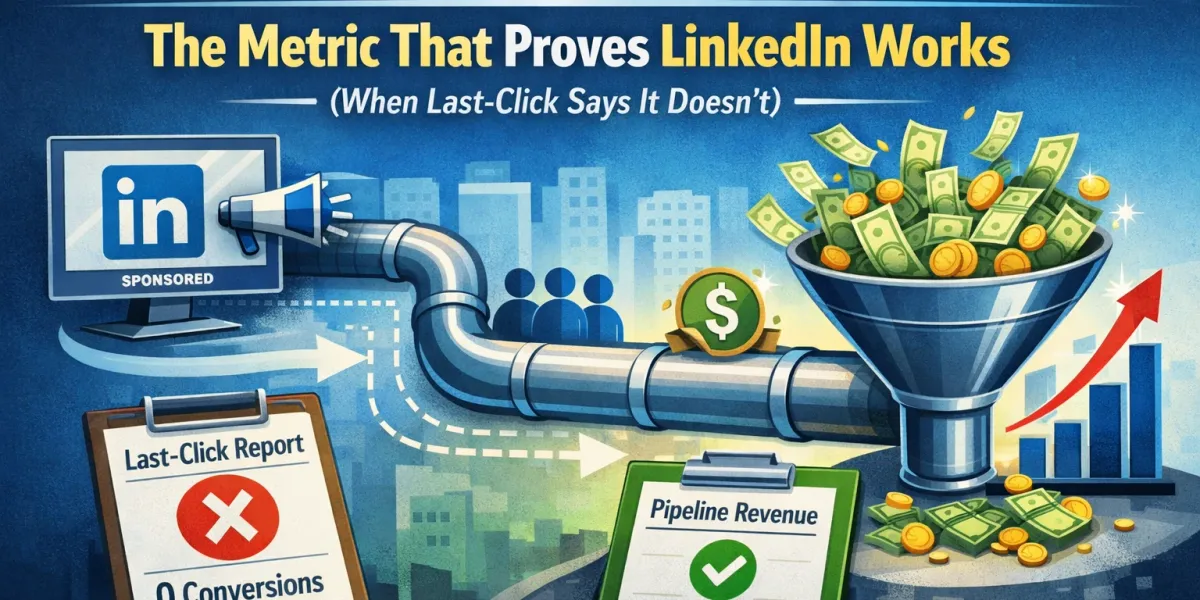
Every B2B marketer running LinkedIn has had this conversation. Campaign Manager shows a cost per lead that makes finance wince. You believe the channel is working because pipeline feels healthier when it is running. You cannot prove it.
The usual explanation is that last-click undercounts LinkedIn. That is partly true, and it is only half the story. LinkedIn’s default reporting over-counts in three specific ways and under-counts in two others, at the same time. Which means the number in Campaign Manager is not pessimistic or optimistic. It is unreliable in both directions, and no multiplier fixes that.
This page is about getting to a number you can defend.
Quick answer
Three steps, in order. The first costs nothing and takes ten minutes.
| Step | What it does | Effort |
|---|---|---|
| 1. Fix the reporting settings | Separates view-through from click-through, stops double counting, extends the window to match your cycle | 10 minutes |
| 2. Connect your CRM | LinkedIn’s Revenue Attribution Report shows pipeline and revenue won against LinkedIn activity, not form fills | A few hours |
| 3. Run a holdout | The only method that proves causation rather than correlation | One quarter |
Most teams skip straight to step three or, more often, to a correlation chart. Do steps one and two first, because they are cheap and they frequently change the picture enough that step three becomes a smaller question.
Key takeaways
- LinkedIn’s default Conversions column combines click-through and view-through conversions. Google’s does not. Comparing the two channels on that column compares different things.
- The default attribution model is Last Touch, Each Campaign, so each campaign that had a touchpoint can claim the same conversion. Campaign-level totals can add up to more than reality.
- Audience Network impressions can be counted even when the ad never appeared in the visible area of the page.
- The click-through conversion window defaults to 30 days and the view-through window to 7 days. Both can be set to 1, 7, 30 or 90 days, and changes apply to future data only.
- LinkedIn’s Revenue Attribution Report connects to HubSpot, Microsoft Dynamics 365 and Salesforce Sales Cloud and reports revenue won, ROAS and pipeline rather than form fills.
- Correlation between LinkedIn spend and branded search is evidence, not proof. A holdout test is the only way to establish causation, and it is worth the quarter it takes.
Where LinkedIn’s default reporting over-counts
Worth understanding before you argue the channel is undervalued, because a sceptical CFO may already know these.
1. View-throughs are bundled in. The default Conversions column combines click-through and view-through conversions. A view-through means someone was served your ad and later converted without clicking it. That might be influence. It might be coincidence, especially for a large audience. Either way, if you compare LinkedIn’s Conversions column to Google’s, you are comparing a click-plus-view number to a click number.
Fix: use the Conversions and Leads view to separate them, and report both figures separately from now on.
2. Each campaign can claim the same conversion. The default model, Last Touch, Each Campaign, lets every campaign with a touchpoint claim credit. Sum your campaign rows and the total can exceed the number of actual conversions. This is not a bug, it is a reporting choice, but it does mean campaign-level numbers should never be added together.
3. Audience Network impressions may never have been seen. For Sponsored Content in the feed, an impression counts as viewable under the MRC standard: at least half the ad’s pixels on screen for one second on desktop or 300 milliseconds on mobile. On the Audience Network, an impression can count when the ad renders on a partner page even if it was never in the visible area. Those impressions can still produce view-through conversions.
Fix: if you are leaning on view-through data, exclude the Audience Network first and see what happens to the number.
Where it under-counts
1. The conversion window is shorter than your sales cycle. The click-through window defaults to 30 days. For a B2B SaaS cycle of three to nine months, a 30 day window sees almost nothing beyond the initial lead. Set it to 90 days, the maximum. Changes apply going forward only, so do it now rather than later.
2. Influence on other channels is invisible. This is the real argument for influenced pipeline. Someone sees your ad, does not click, searches your brand name a week later, and arrives through organic. Google takes the credit. LinkedIn gets nothing, despite doing the work that created the search.
This effect is real. It is also the hardest thing in marketing measurement to size honestly, which is where most writing on this topic goes wrong.
Step 1: fix the settings today
| Setting | Default | Change to | Why |
|---|---|---|---|
| Click-through conversion window | 30 days | 90 days | Matches a B2B cycle more closely |
| View-through conversion window | 7 days | 7 days, or 1 day if you want a conservative read | Longer windows make view-throughs less credible, not more |
| Reporting view | Conversions | Conversions and Leads | Separates click from view |
| Audience Network | On | Off, at least while you measure | Removes impressions that may never have been seen |
| Campaign totals | Summed | Never summed | Each campaign can claim the same conversion |
That alone gives you a number you can defend. It will often be lower than the one you were quoting, which is uncomfortable and correct.
Step 2: connect the CRM
LinkedIn’s Revenue Attribution Report connects to HubSpot, Microsoft Dynamics 365 or Salesforce Sales Cloud through Business Manager, and reports on revenue won, ROAS and pipeline rather than on form fills. It shows how LinkedIn-influenced leads progress to closed-won opportunities over time.
This is the single highest-value thing most LinkedIn advertisers have not set up. It moves the conversation from cost per lead, which nobody in finance cares about, to pipeline and revenue, which is the only ground on which the channel can be defended.
Two caveats worth stating when you present it:
- It uses an any-touch model, so a deal LinkedIn touched once counts as influenced. That is useful for showing reach, and it is not the same as saying LinkedIn caused the deal.
- It still only sees people it can match. Influence on someone who never visited your site from LinkedIn stays invisible.
Influenced pipeline is a real and useful metric. It is also a generous one. Report it alongside sourced pipeline, never instead of it, and define both in writing before anyone sees the slide.
Step 3: prove causation with a holdout
Here is the part most articles on this topic skip, including the earlier version of this one.
The common approach is to chart LinkedIn spend against branded search and organic leads, show that organic rises a week or two after LinkedIn delivery increases, and conclude that LinkedIn caused it. That is a correlation. It is genuinely suggestive, and it is not proof, because the same pattern is produced by seasonality, a PR push, a product launch, outbound activity ramping in the same period, or simply the fact that you increase LinkedIn spend when business is already going well.
If you present a correlation chart as proof to a numerate CFO, you will lose the argument and some credibility with it.
The honest method is a geographic holdout. Pick two comparable sets of regions. Run LinkedIn in one and not the other, hold everything else constant, and compare pipeline creation across both over a full sales cycle. The difference is causal, because the only thing that differed was LinkedIn.
| Correlation analysis | Geo holdout | |
|---|---|---|
| Effort | A day | A quarter |
| What it shows | The two things move together | LinkedIn caused the difference |
| Survives CFO scrutiny | Rarely | Yes |
| Risk | None | You give up some reach in the holdout regions |
A pause test is the cheaper version: turn LinkedIn off entirely for four to six weeks and watch branded search, direct traffic and inbound lead volume. Cruder, and confounded by seasonality, but much more persuasive than a correlation chart, and most teams can afford one pause a year.
How to define influenced pipeline
Agree these three things in writing before you report anything, because every dispute about this metric comes from leaving them vague.
- What counts as a touch? A click, or a click plus a view-through? Say which. Views are defensible for reach and weak for causation.
- What is the window? A touch within 90 days of opportunity creation is a reasonable default. Any-touch-ever makes the number meaningless.
- Sourced or influenced? Sourced means LinkedIn created the lead. Influenced means LinkedIn touched the account at some point. Report both. They are different numbers and conflating them is the fastest way to lose trust.
A workable pair of definitions: sourced pipeline is opportunities whose originating lead came from a LinkedIn click. Influenced pipeline is opportunities where any contact on the account had a LinkedIn click within 90 days before the opportunity was created.
Those are defensible. They will also produce smaller numbers than the version where every impression counts forever, which is the point.
What to report
| Metric | Where it comes from | What it answers |
|---|---|---|
| Cost per lead, click-through only | Campaign Manager, Conversions and Leads view | Media efficiency |
| Cost per SQL | CRM | Whether the leads are real |
| Sourced pipeline | CRM | What LinkedIn created outright |
| Influenced pipeline | Revenue Attribution Report or CRM | What LinkedIn touched |
| Holdout lift | Your test | What LinkedIn actually caused |
| View-through conversions | Campaign Manager, reported separately | Directional only. Never the headline |
Lead with sourced pipeline and cost per SQL. Use influenced pipeline as supporting context. Keep view-through conversions in a footnote. That order is what makes the case credible rather than promotional.
Frequently Asked Questions
Q1. How do I prove LinkedIn Ads drive pipeline?
In three steps. Fix the reporting settings so you are counting clicks and views separately over a 90 day window. Connect your CRM through the Revenue Attribution Report so you are reporting pipeline rather than form fills. Then run a geographic holdout or a pause test, which is the only way to show LinkedIn caused the difference rather than merely coinciding with it.
Q2. What is LinkedIn Ads influenced pipeline?
Pipeline where LinkedIn touched the account at some point in the buying journey, even if another channel produced the final conversion. It differs from sourced pipeline, where LinkedIn created the lead directly. Influenced pipeline is a larger and more generous number, so always define the touch type and the time window before reporting it.
Q3. Why does Campaign Manager show such a high cost per lead?
Partly because the default click-through window is only 30 days, which is far shorter than a B2B sales cycle, and partly because LinkedIn genuinely cannot see the organic and direct conversions it influenced. But check the opposite direction too: the default Conversions column includes view-throughs, which can make the number look better than it is.
Q4. Does LinkedIn’s reporting over-count or under-count?
Both, in different ways. It over-counts by bundling view-throughs into the headline Conversions column, by letting each campaign claim the same conversion under the Last Touch, Each Campaign model, and by counting Audience Network impressions that may never have been visible. It under-counts by using a short conversion window and by missing influence on other channels.
Q5. What is the LinkedIn Revenue Attribution Report?
A Business Manager report that connects your CRM, HubSpot, Microsoft Dynamics 365 or Salesforce Sales Cloud, and reports revenue won, ROAS and pipeline against LinkedIn activity. It uses an any-touch model, so treat it as a measure of reach and influence rather than proof of causation.
Q6. What should my LinkedIn conversion window be?
Set the click-through window to 90 days, the maximum, because B2B cycles run far longer than the 30 day default. Keep the view-through window short, 7 days or even 1, since longer view-through windows make the attribution less credible rather than more. Changes apply to future data only.
Q7. Should I count view-through conversions?
Report them, separately, and never as the headline. A view-through means someone was served the ad and later converted without clicking. That can reflect real influence, but on a large audience it also catches people who would have converted anyway. If you rely on them, turn off the Audience Network first, since those impressions can count without ever being visible.
Q8. How do I measure the LinkedIn halo effect on organic pipeline?
You can observe it by comparing branded search, direct sessions and organic lead volume across periods of high and low LinkedIn delivery, allowing a one to two week lag. Treat that as evidence, not proof, because seasonality and other campaigns produce the same pattern. To establish causation you need a holdout or a pause test.
Q9. Why does our LinkedIn pipeline attribution seem inaccurate?
Usually three things at once: the window is shorter than your sales cycle, view-throughs are mixed into the headline number, and campaign-level figures are being summed when each campaign can claim the same conversion. Fix those three and the number usually becomes both smaller and trustworthy.
Q10. How long before LinkedIn’s influence shows up in pipeline?
Influence on branded search and direct traffic typically appears within one to two weeks of a delivery change. Influence on pipeline follows your sales cycle, so three to nine months for most B2B SaaS. Judge the channel on sourced SQLs within a quarter and on revenue only after a full cycle has elapsed.
Q11. How do I compare LinkedIn against Google fairly?
Make the columns match before you compare. Use click-through conversions only on both, set comparable conversion windows, and compare on cost per SQL from the CRM rather than cost per lead from either platform. Comparing LinkedIn’s default Conversions column to Google’s is comparing a click-plus-view number to a click number.
Q12. Is a correlation between LinkedIn spend and branded search good enough evidence?
For an internal hypothesis, yes. For a budget decision in front of finance, no. The same pattern appears when spend rises because business is already improving, during seasonal peaks, or alongside any other campaign running in the same window. If the budget at stake is meaningful, run the holdout.
Q13. What tools do I need to build an influenced pipeline report?
At minimum, your CRM and the LinkedIn Insight Tag installed correctly. The Revenue Attribution Report handles the connection for HubSpot, Dynamics 365 and Salesforce. Beyond that you need agreed definitions of sourced and influenced pipeline more than you need another tool, which is usually the actual blocker.
Q14. What if I cannot run a holdout?
Run a pause test instead. Turn LinkedIn off for four to six weeks and watch branded search, direct traffic and inbound lead volume, remembering that seasonality will confound it. It is weaker than a geo holdout and far stronger than a correlation chart. Most teams can afford one pause a year.
Want the measurement built properly?
We set up LinkedIn Ads reporting for B2B SaaS so that sourced pipeline, influenced pipeline and holdout lift are three separate, defined numbers rather than one optimistic one. If you believe LinkedIn is working and cannot prove it, that is the gap we close.
Related reading
- LinkedIn Ads audience size and budget for B2B SaaS
- Send HubSpot offline conversions to LinkedIn Ads
- Why your B2B SaaS Google Ads look profitable but don’t create pipeline
- Google Ads with a 3 to 9 month B2B sales cycle
- The ICP scoring system for B2B SaaS paid ads
- LinkedIn Ads Waste Report 2026
Sources
- LinkedIn Marketing Solutions, Revenue Attribution Report (connects HubSpot, Microsoft Dynamics 365 and Salesforce Sales Cloud through Business Manager; reports revenue won, ROAS and pipeline): https://business.linkedin.com/marketing-solutions/revenue-attribution-report
- LinkedIn Help, conversion window settings (30 day click-through default, 7 day view-through default, adjustable to 1, 7, 30 or 90 days, changes apply to future data only): https://www.linkedin.com/help/lms/answer/a426359
- LinkedIn Campaign Manager reporting behaviour: the default Conversions column combines click-through and view-through conversions, separable in the Conversions and Leads view; the default Last Touch, Each Campaign model allows each campaign with a touchpoint to claim the same conversion; Sponsored Content impressions count as viewable under the MRC standard at 50 percent of pixels for 1 second on desktop or 300 milliseconds on mobile, while Audience Network impressions can count when the ad renders on a partner page
About the author
Ishan Manchanda is Co-Founder at GrowthSpree, a B2B SaaS marketing agency and Google Partner and HubSpot Solutions Partner rated 4.9 on G2. GrowthSpree manages $60M+ in B2B SaaS ad spend across 300+ accounts, optimising paid media on cost per SQL and pipeline rather than clicks.