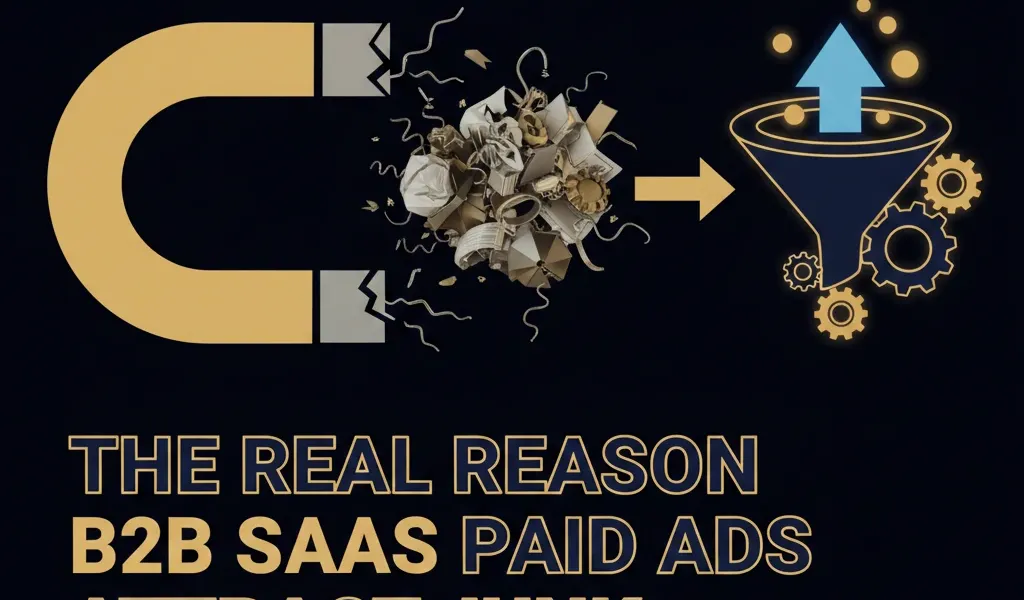
The Real Reason B2B SaaS Paid Ads Attract Junk, and the Fix on Each Platform
Most advice on junk leads stops at one sentence: you optimised for cheap form fills, so the algorithm found you cheap form fills. That is true, and it is not enough to act on, because it treats Google, Meta and LinkedIn as one problem.
They are not. Each platform manufactures a different species of junk, for different reasons, and several of the causes are settings that are switched on by default when you build the campaign. Fixing Meta the way you fix Google will not work.
Here is what each platform actually does, and what to change on each one.
Quick answer
| Platform | The junk you get | Root cause | First fix |
|---|---|---|---|
| Google Search | Real intent, wrong intent. People genuinely searching, but for something else | Broad match and search partners, both on by default | Turn off search partners, audit broad match against SQL data |
| Performance Max | Volume with no quality signal at all | Running without offline conversions imported from your CRM | Import offline conversions before you scale it |
| Meta lead ads | Right person, zero intent. Accidental and near-accidental submissions | The default instant form is built for frictionless volume | Switch the form type, add typed questions |
| Right person, right title, no interest | Lead Gen Forms pre-fill from the profile, so submitting costs nothing | Add a qualifying question the profile cannot answer |
The pattern: Google sends you the wrong people, Meta and LinkedIn send you the right people who did not mean it. Those need opposite fixes. Google needs tighter targeting. Meta and LinkedIn need more friction.
Key takeaways
- Two of the biggest junk sources are default-on settings, not mistakes you made.
- Google’s own documentation says clicks from search partners “may not always reflect highly targeted traffic,” and search partners are included by default on every Search campaign.
- In our audit of 104 B2B SaaS accounts and $78.0M of spend, broad match took 47 percent of spend and produced 23 percent of SQLs.
- Performance Max running without offline conversions accounted for $6.6M of waste in that audit, 25 percent of the total.
- Meta offers a higher intent instant form with a review step. Most accounts are running the volume version without knowing there is a choice.
- LinkedIn pre-fills name, contact details, company, seniority, job title and location from the profile, which is why a Lead Gen Form submission is almost free to the person submitting it.
Google Search: the wrong intent problem
On Google, the person is real and their search was real. The mismatch is between what they wanted and what you sell.
Broad match. Broad match lets Google serve your ad on anything it judges semantically related, which on a niche B2B category means a lot of adjacent, non-commercial queries. In our audit across 104 accounts, broad match accounted for 47 percent of spend but only 23 percent of sales qualified leads. It was the single largest waste driver at $8.2M, 31 percent of all waste measured.
Broad match is not the villain. Broad match without negative keyword discipline is. The fix is a weekly search terms review with negatives added as a habit, not a quarterly cleanup.
Search partners, on by default. When you create a Search campaign, search partners are included automatically. These are other search sites and YouTube search and watch pages. Google’s own help documentation notes two things worth knowing: click through rate on partner sites does not affect your Quality Score, and clicks from these sites “may not always reflect highly targeted traffic.”
For most B2B SaaS accounts, switch it off, then compare cost per SQL over the next month. If partners were contributing, you will see it and can switch back. Most of the time you will not.
Display expansion. Some Search campaigns still carry an option to extend onto the Display Network. Display and Search are completely different intent environments, and mixing them into one campaign hides which one is producing the junk. Separate them or turn it off.
The diagnostic. Break spend and SQLs down by match type and by network. If any segment’s share of spend is much larger than its share of SQLs, that is your leak, and the size of the gap tells you how much it is costing.
Performance Max: the no-signal problem
Performance Max is not inherently a junk machine. It is an amplifier, and it amplifies whatever conversion signal you give it.
If the only thing you send it is a form fill, it will find the cheapest form fills across Search, Display, YouTube, Discover and Gmail, which is an enormous surface area of low-intent inventory. It is doing its job perfectly. Nobody told it which leads turned into pipeline.
In our audit, Performance Max running without offline conversions was the second largest waste driver at $6.6M, 25 percent of all waste. Not because the campaign type is bad, but because the feedback loop was missing.
The fix, in order. Import offline conversions from your CRM first, so the platform can see which leads reached qualified status. Send tiered values so a good account is worth more than a poor one. Only then scale the budget. Doing it in the other order buys a lot of the wrong traffic at speed.
If you cannot import offline conversions yet, do not run Performance Max as your primary lead campaign. Use Search with tight match types until the measurement exists.
Meta lead ads: the zero intent problem
Meta junk looks different. The person often genuinely matches your target, but they were scrolling, the form was already filled in, and submitting took one tap. There was no decision.
This is by design, and you have a choice most accounts never make.
Instant form types. Meta offers a “more volume” form and a “higher intent” form. The volume version is built for speed: prefilled fields from the Facebook profile, minimal steps, quick to complete on a phone. The higher intent version adds a review step where the person sees their answers before submitting and has to slide to submit rather than tap a button.
That review step is a deliberate speed bump. It reduces total submissions and raises the share of people who meant it. For B2B SaaS, where one qualified conversation is worth dozens of form fills, this trade is almost always correct.
Typed questions beat prefilled fields. A prefilled email proves nothing. A question the person has to type an answer to proves attention. Two or three short custom questions about their situation will cut volume noticeably and cut junk more than proportionally.
Conditional logic. Instant forms support branching, so you can ask a qualifying question and route people who answer wrongly to an exit screen instead of into your CRM. This is prequalification inside the ad unit, before the lead ever reaches your sales team.
Give people a way out. Including an honest “not right now” or “just researching” option sounds like it costs you leads. It removes leads you were never going to convert, and it does it before a rep spends 20 minutes on them.
LinkedIn: the frictionless problem
LinkedIn is the most counterintuitive of the three, because the leads are often exactly who you targeted.
LinkedIn Lead Gen Forms pre-fill from the member’s profile, and LinkedIn is explicit about which fields: name, contact info, company name, seniority, job title and location. LinkedIn also states that 90 percent of pilot customers beat their cost per lead goals, with lower CPLs than standard Sponsored Content.
Read that as a warning as well as a feature. The reason CPL drops is that submitting costs the member almost nothing. They tap, the form is already complete, they tap again. You have captured a genuine VP at a genuine target account who has approximately no interest in your product.
The upside, which people miss. Because the data comes from the profile rather than being typed, LinkedIn firmographic data is unusually reliable. You get real seniority and real job title for free, which a website form never gives you honestly. So LinkedIn junk is not a data quality problem. It is purely an intent problem, and that is easier to fix.
The fix: ask something the profile cannot answer. One custom question does most of the work, because it is the only field the member has to think about. Ask about their current situation, their timeline, or the specific problem, not their job title, which LinkedIn already told you.
Check your expansion settings. Audience expansion and the LinkedIn Audience Network both widen delivery beyond who you selected. For tightly defined B2B targeting, both usually dilute quality. Turn them off, measure for a month, and only reconsider if you are genuinely delivery constrained.
The one thing all three have in common
Platform settings are the fast fixes, worth doing this week. They are not the durable one.
Every platform above optimises toward the conversion signal you send it. If that signal is an undifferentiated form fill, the platform will keep finding the cheapest version of a form fill no matter how carefully you tune the settings, and your carefully tightened account will drift back within a quarter.
The durable fix is sending quality back:
- Import offline conversions from your CRM into each platform, so it can see which leads became qualified.
- Send differentiated values, so a good-fit qualified lead is worth more to the algorithm than a poor-fit one.
- Report on cost per SQL and pipeline, not cost per lead, so the incentive inside your own team stops pointing the wrong way.
Settings stop the bleeding. The feedback loop is what stops it coming back.
What to change this week
| Day | Action | Platform |
|---|---|---|
| 1 | Turn off search partners, note the date so you can compare | |
| 1 | Turn off audience expansion and Audience Network | |
| 2 | Switch instant forms to the higher intent type | Meta |
| 2 | Add one typed qualifying question to every lead form | Meta and LinkedIn |
| 3 | Break spend and SQLs down by match type, find the gap | |
| 3 | Check whether Performance Max has offline conversions. If not, cap its budget | |
| 4 | Read 20 recent disqualified leads and sort by reason | All |
| 5 | Add negatives from the search terms report, then diarise it weekly | |
| Ongoing | Build the offline conversion import, then switch reporting to cost per SQL | All |
The first week is settings and costs you nothing. The offline conversion work takes longer and is the part that actually holds.
Frequently asked questions
Q1. Why do B2B SaaS paid ads attract junk leads?
Partly because platforms optimise toward whatever conversion you defined, and a form fill is easy to produce cheaply. Partly because several junk sources are switched on by default, including Google search partners and Meta’s volume-optimised instant form. Most accounts have both problems at once.
Q2. Is it Google’s fault or my setup?
Your setup, though the defaults are not helping. The platforms are doing exactly what the configuration tells them. The useful framing is that junk leads are a measurement failure before they are a targeting failure.
Q3. Which platform produces the worst junk for B2B SaaS?
They produce different kinds, so it depends on your setup. Google sends people with real but mismatched intent. Meta sends well-matched people with no intent. LinkedIn sends well-matched people with no interest but accurate data. Meta is usually the highest volume of clearly unqualified leads; Google is usually the highest wasted spend.
Q4. Should I turn off Google search partners?
For most B2B SaaS accounts, yes, then measure. Google’s documentation notes that partner clicks may not always reflect highly targeted traffic, and partner performance is not separable enough to optimise properly. Switch it off, compare cost per SQL over a month, and reverse it if the numbers say so.
Q5. Is broad match always bad for B2B SaaS?
No. Broad match without negative keyword discipline is what causes damage. In our audit it took 47 percent of spend and produced 23 percent of SQLs, but the accounts doing weekly search term reviews were in a completely different part of the distribution. If you will not review search terms weekly, do not run broad match.
Q6. What is the difference between Meta’s instant form types?
The volume form is frictionless, prefilled and fast. The higher intent form adds a review step where the person confirms their answers and slides to submit. You get fewer leads and a better share of them mean it. For B2B SaaS the higher intent form is usually correct.
Q7. Why are my LinkedIn leads unqualified if the targeting is right?
Because Lead Gen Forms pre-fill from the profile, so submitting takes two taps and no thought. The targeting worked and the intent never existed. Add one custom question that the member has to type or choose, and the problem largely resolves.
Q8. Should I stop using lead forms and send people to a landing page?
Not necessarily. A landing page adds useful friction but loses the reliable profile data and raises cost per lead sharply. A better first step is to keep the in-platform form and add friction inside it through form type, typed questions and conditional logic. Test the landing page route after that, not instead of it.
Q9. Will fixing this reduce my lead volume?
Yes, usually noticeably, and that is the intended outcome. Agree the expected drop with your leadership before you start, and switch the reported metric to cost per SQL at the same time, or month one will look like a failure.
Q10. How long until lead quality improves?
Settings changes show up within days, because they stop delivery to poor inventory immediately. Changes that depend on retraining the algorithm through offline conversions need four to eight weeks, because smart bidding requires a learning window.
Q11. Do I need offline conversions for all of this?
Not for the settings fixes, which you can do this week with no new infrastructure. You do need them for anything durable, because without them no platform can distinguish a good lead from a cheap one, and the drift returns.
Q12. Is Performance Max safe for B2B SaaS?
It is safe once it can see quality. Without offline conversions imported from your CRM it optimises toward the cheapest form fill across a very large inventory surface, which was 25 percent of all waste in our audit. Build the measurement first, then scale it.
Want this fixed properly?
We audit B2B SaaS paid accounts for exactly these patterns, fix the settings, then build the CRM feedback loop that keeps the improvement in place. If your cost per lead looks good and your pipeline does not, that is the gap we work on.
Related reading
- How to eliminate junk leads from Meta and Google: the 2026 playbook
- Getting leads is easy, getting ICP leads isn’t. Here’s why
- The ICP scoring system for B2B SaaS paid ads
- Send HubSpot offline conversions to every ad platform
- The B2B SaaS Google Ads audit checklist
- The B2B Google Ads Waste Report 2026
Sources
- GrowthSpree, The 2026 B2B SaaS Google Ads Waste Report. 104 enterprise B2B SaaS accounts, $78.0M spend, calendar year 2025: https://www.growthspreeofficial.com/reports/b2b-google-ads-waste-report-2026
- Google Ads Help, Search Network and search partners (included by default; partner clicks may not always reflect highly targeted traffic): https://support.google.com/google-ads/answer/1722047
- LinkedIn Marketing Solutions, Lead Gen Forms (pre-filled profile fields; 90 percent of pilot customers beat their CPL goals): https://business.linkedin.com/marketing-solutions/native-advertising/lead-gen-ads
- Meta Business Help Centre, About instant form types (more volume and higher intent forms, review step, conditional logic)
About the author: Ishan Manchanda is Co-Founder of GrowthSpree, a Google Partner and HubSpot Solutions Partner rated 4.9 on G2, working with B2B SaaS teams on paid acquisition across 300+ accounts and $60M+ in managed ad spend.