LinkedIn Ads Job Title Exclusions: The Super Titles Fix That Cuts Wasted Spend 20–35% (2026)
Quick answer: Job-title exclusions are negative targeting for LinkedIn Ads: you tell LinkedIn who must never see your ads — students, interns, freelancers, consultants, job seekers, self-employed profiles, non-buying departments, and below-persona seniority. Across our audits of B2B SaaS accounts, these non-buyers consume 20–35% of total budget; building a proper exclusion list typically cuts CPL 15–25% within two weeks. A “Super Title” approach groups the similar-but-wrong titles LinkedIn silently serves and excludes them as a set. Start with the demographics tab: any title with high spend and zero conversions is your exclusion worklist.
TL;DR: Positive targeting gets all the attention; negative targeting is where LinkedIn budgets are actually saved. LinkedIn’s delivery quietly expands to “similar” titles, “Senior” in its seniority taxonomy means senior individual contributor (not leadership), and students, freelancers, and agency folks click on everything. In a real audit — $12,963 spent, 10,097 clicks, 3 conversions — less than 1 in 3 dollars reached anyone who could approve a purchase. This guide is the full exclusion playbook: the exclusion list by category (people, seniority, function, company size, industry), the Super Titles method for grouping wrong-title clusters, the 5-minute demographics-tab audit that finds your leaks, and the monthly maintenance loop. Typical impact: 20–35% of wasted spend eliminated, CPL down 15–25% in two weeks.
Job title exclusions: the numbers
| Finding | Figure |
|---|---|
| Typical LinkedIn budget wasted on non-buyers | 20–35% |
| CPL reduction from exclusions alone | 15–25% within ~2 weeks |
| Audit case: spend → conversions | $12,963 → 3 conversions |
| Audit case: spend reaching decision-makers | 32.7% (VP+C-Suite+Director+Owner+Partner) |
| Avoidable non-ICP function spend in that account | ~$1,286 of $2,328 |
| Time for exclusion changes to show impact | 7–14 days |
Figures from GrowthSpree audits across hundreds of B2B SaaS LinkedIn accounts, including the cybersecurity audit case study linked below; your leak profile will differ — run the demographics audit on your own account.
“LinkedIn Ads doesn’t work for us” almost always means “LinkedIn’s default delivery doesn’t work for us.” The platform works; the defaults don’t. And the single fastest fix — faster than new creative, faster than restructuring — is telling LinkedIn who to stop showing your ads to.
Why your targeting leaks (even when it looks tight)
- LinkedIn serves “similar” titles silently. Delivery expands beyond your selected titles to adjacent ones — which is how “Sales Manager” targeting reaches retail sales managers, and your DevOps campaign reaches marketing folks.
- The “Senior” seniority trap. In LinkedIn’s taxonomy, “Senior” means senior individual contributor — Senior Engineer, Senior Analyst, Senior AE — not leadership, not budget holders. Accounts that treat “Senior” as decision-makers routinely discover most spend never reached one.
- Serial clickers. Students, job seekers, freelancers, consultants, and agency people click on everything — they’re researching, prospecting you, or filling time. They inflate CTR and never buy.
- Title inflation. “Founder” and “CEO” at 2-person companies match your executive targeting but not your ICP — company-size exclusions are part of title hygiene.
Key takeaway: In the audit that anchors this guide, combined decision-maker spend (VP, C-Suite, Director, Owner, Partner) was just 32.7% of budget — less than 1 in 3 dollars reached someone who could approve a purchase. Exclusions are how you flip that ratio.
The exclusion list, by category
1. People who click but never buy
Exclude: students, interns, freelancers, consultants, job seekers (open-to-work signals), founders-in-stealth, and self-employed profiles (e.g., “Marketing Manager at Self-Employed”). This is the universal set — it applies to virtually every B2B SaaS account.
2. Below-persona seniority
Exclude Entry Level and Unpaid seniority entirely, and exclude individual-contributor tiers when you sell to Director+. Remember the taxonomy: “Senior” is an IC tier, not leadership — decide deliberately whether it belongs in or out for your motion.
3. Non-buying departments (job functions)
LinkedIn lets you exclude entire job functions at the campaign level. If your product is bought by IT, Engineering, or Security — exclude Sales, Business Development, HR, Accounting, Marketing, and Support. In our audit case, this single change would have saved roughly $1,286 of the $2,328 spent on non-ICP functions.
4. Company sizes outside your ICP
Add company-size exclusions for 1, 2–10, and 11–50 employees in cold campaigns when you sell mid-market or enterprise — this removes title-inflated micro-company founders. Pair with audience sizing so the remaining audience stays in the 5K–30K direct-response range.
5. Industries that click professionally
Exclude marketing agencies, staffing/recruiting firms, and competitor companies. Agencies and recruiters engage with everything as part of their jobs; competitors are researching you on your dime.
The Super Titles method
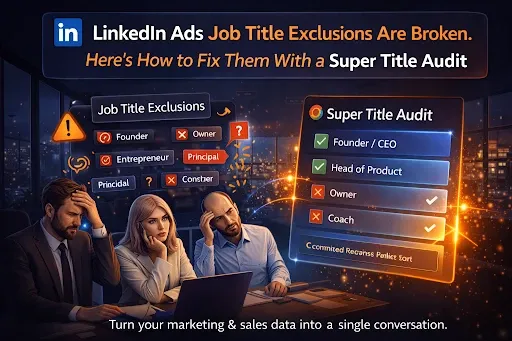
Individual title exclusions decay because wrong titles arrive in clusters — dozens of variants of the same non-buyer. A Super Title approach groups similar roles into named sets and applies them together: one “non-buyer” super-set (students/freelancers/job seekers), one per wrong department, one for below-persona IC tiers. The same grouping works positively — clustering true decision-maker variants (Head of IT, IT Director, VP Infrastructure) so targeting and exclusions stay consistent as LinkedIn’s title taxonomy shifts. Tools automate this: OLA’s Super Title exclusions apply a pre-tuned exclusion set across all campaigns — in accounts we audit, that single change typically drops CPL 15–25% within two weeks. We apply Super Title exclusions by default on every account.
The 5-minute demographics audit
- Open Campaign Manager → select a campaign → Demographics tab.
- Review performance by job title, job function, seniority, company size, and industry.
- Compare spend distribution against your ICP: what % reached target functions? What % reached Director+?
- Flag every segment with meaningful spend and zero conversions — that’s your exclusion worklist.
- Apply exclusions, then re-check in 7–14 days — exclusion changes show impact fast. We run this continuously through the LinkedIn Ads MCP (which reads LinkedIn Ad Analytics data) — asking for high-spend zero-conversion titles by campaign takes one prompt. For the full 7-mistake teardown this audit comes from, see the $12.9K LinkedIn Ads audit case study.
Maintenance: exclusions are a loop, not a setup
- Monthly: review the demographics tab and aggressively exclude any title with high spend and zero conversions.
- Quarterly: refresh your title lists — LinkedIn’s taxonomy evolves (RevOps Manager and Chief AI Officer weren’t targetable a few years ago). Ask sales what titles recent closed-won buyers actually hold.
- Ongoing: watch for new leak clusters after any audience change — broadening targeting reopens old leaks.
Key takeaway: Exclusions don’t shrink your results — they redirect budget from serial clickers to buyers. Accounts typically maintain or increase lead volume while CPL drops, because the spend moves to segments that convert.
Where exclusions fit in the stack
Exclusions are one of the standard levers we apply to every LinkedIn account, alongside tight ICP audiences, dayparting (20–30% of budget recovered from dead hours), company-level frequency capping, Matched Audience exclusions (stopping internal bid competition), and creative-fatigue monitoring. Together these compound — see the complete LinkedIn Ads pipeline guide.
Common mistakes to avoid
- Trusting “Senior.” It’s an IC tier in LinkedIn’s taxonomy — verify where budget actually lands by seniority.
- Excluding one title at a time. Wrong titles arrive in clusters; exclude them as super-sets.
- Skipping function and company-size exclusions. Titles alone leave the biggest leaks open.
- Set-and-forget. Review monthly; taxonomies and audiences drift.
- Over-excluding on tiny data. A title with 3 clicks and no conversion may just need more time — exclude on meaningful spend, not noise.
Frequently Asked Questions
Q1. What are LinkedIn Ads job title exclusions?
Negative targeting: telling LinkedIn which job titles, functions, seniorities, company sizes, and industries must never see your ads — students, freelancers, job seekers, non-buying departments, and below-persona seniority — so budget concentrates on real buyers.
Q2. How much budget do non-buyers waste on LinkedIn?
In our audits across hundreds of B2B SaaS accounts, 20–35% of total budget goes to non-ICP segments. In one real audit, only 32.7% of spend reached decision-maker seniority.
Q3. How much does fixing exclusions improve CPL?
Building a proper exclusion list typically cuts CPL 15–25% within about two weeks, while maintaining or increasing lead volume, because spend redirects to segments that convert.
Q4. What are Super Titles?
Grouped title sets — clusters of similar roles treated as one unit for targeting or exclusion. Instead of excluding wrong titles one by one, you exclude the whole non-buyer cluster; tools like OLA apply pre-tuned Super Title exclusion sets across all campaigns automatically.
Q5. Who should every B2B SaaS account exclude?
Students, interns, freelancers, consultants, job seekers (open-to-work), founders-in-stealth, self-employed profiles, Entry Level and Unpaid seniority, plus marketing agencies, staffing firms, and competitors as industry/company exclusions.
Q6. What does “Senior” mean in LinkedIn’s seniority targeting?
Senior individual contributor — Senior Engineer, Senior Analyst, Senior Account Executive — not leadership and not budget holders. Treating “Senior” as decision-makers is one of the most common LinkedIn targeting mistakes.
Q7. Can I exclude entire departments?
Yes — LinkedIn supports job-function exclusions at the campaign level. If IT, Engineering, or Security buys your product, exclude Sales, BD, HR, Accounting, Marketing, and Support.
Q8. How do I find what to exclude in my account?
Open the Demographics tab in Campaign Manager and review spend by title, function, seniority, company size, and industry. Every segment with meaningful spend and zero conversions is an exclusion candidate.
Q9. How fast do exclusion changes show impact?
Typically within 7–14 days — faster than most LinkedIn optimizations, because you’re removing waste rather than waiting for an algorithm to relearn.
Q10. Will exclusions shrink my audience too much?
Rarely, if you size correctly. Keep direct-response audiences in the 5K–30K range after exclusions; exclusions remove non-buyers, and reach among actual buyers usually deepens.
Q11. How often should I update exclusions?
Review the demographics tab monthly and exclude high-spend zero-conversion titles; refresh title lists quarterly as LinkedIn’s taxonomy evolves and new roles (like Chief AI Officer) become targetable.
Q12. Do exclusions work for ABM campaigns?
Yes — layer title and seniority exclusions on top of Matched Audience company lists so account-based budget reaches the buying committee, not every employee at the account.
Find your leaks this week
Run the 5-minute demographics audit on your top campaign today — or connect the free LinkedIn Ads MCP and ask for high-spend, zero-conversion titles in one prompt. For the full teardown methodology, read the $12.9K audit case study, or get a free LinkedIn Ads audit and we’ll map your exclusion worklist for you.
About the author: Ishan Manchanda is Co-Founder at GrowthSpree, a B2B SaaS marketing agency (Google Partner, HubSpot Solutions Partner, 4.9/5 on G2). GrowthSpree applies Super Title exclusions by default on every LinkedIn engagement across 300+ B2B SaaS accounts and $60M+ in managed spend — the audit data in this guide comes from that client work.